Blog
Expert insights
Welcome to our central forum for detailed technical information and updates. Our experts regularly post on topics such as advanced simulation, digital engineering, and product lifecycle management.
Industry
Topic

 Transportation & mobility

 Academia

 Aerospace & defence

 AEC
AEC

 Consumer packaged goods

 Energy, process & utility

 High tech

 Home & lifestyle

 Industrial equipment

 Life sciences

 Marine & offshore
Clear all

 Advanced Simulation

 Data Exchange

 Engineering

 Laboratory management
Manufacturing
Laboratory management
Manufacturing

 MBSE
MBSE

 PLM
PLM

 Quality Compliance

 Sustainability

 System Integrations

 User Experience

 Data intelligence

 Software development
Clear all
 MBSE
MBSE
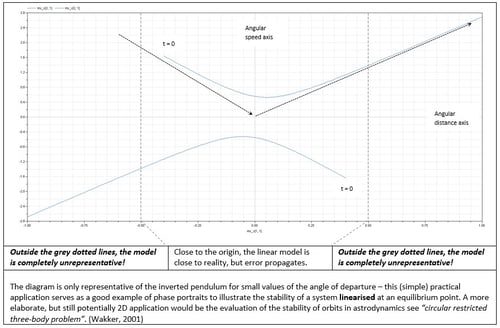
Using eigenvalue function – illustrative example & applications
Explore eigenvalues and eigenvectors in Dymola through an inverted pendulum example. Learn how to interpret system dynamics, phase portraits, and linear vs nonlinear behaviour in engineering simulations.
Read more
 MBSE
MBSE
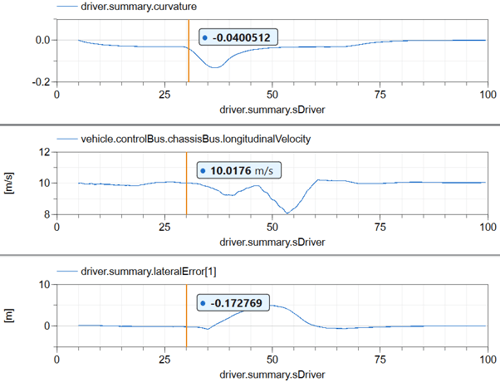
Modifying parameters efficiently
Learn how to efficiently modify parameters in Dymola without re-translation. This Modelica Basics guide shows a faster approach to tuning vehicle simulations.
Read more
 Engineering
MBSE
Engineering
MBSE
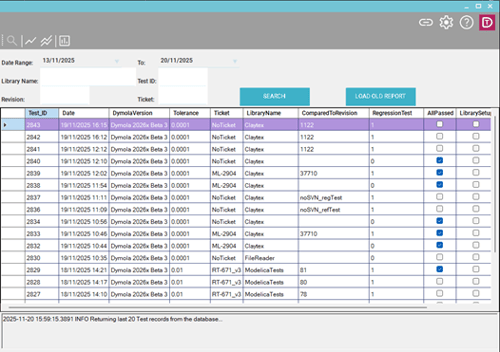
DyMoTest: Faster, cleaner, and simpler bulk testing for Dymola models
Simplify Modelica testing with DyMoTest. Run parallel Dymola simulations, detect regressions early, and integrate automated testing into CI/CD pipelines.
Read more
 MBSE
MBSE
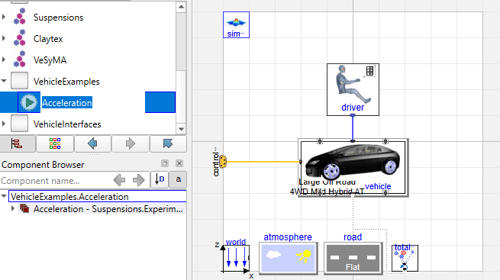
Automating Post-Processing in Dymola Using Commands
After running a simulation in Dymola, engineers often need to perform several post-processing tasks, such as generating plots, analysing results, or executing custom scripts. These tasks can be automated using Commands, which are stored within the experiment setup. This blog explores how to create and use Commands in Dymola to streamline your simulation workflow.
Read more
 MBSE
MBSE
Reflections from the Dassault Systèmes MBSE Forum: A Day of Innovation and Insight
Discover key takeaways from the Dassault Systèmes MBSE Forum, including insights on SysML, model-centric design, and the future of engineering.
Summarized Main Point:
The Dassault Systèmes MBSE Forum highlighted the growing influence of Model-Based Systems Engineering (MBSE), emphasizing the benefits of a model-centric approach, the potential of SysML v2, and the importance of industry-academia collaboration in preparing future engineers.
Read more
 MBSE
MBSE
The 16th International Modelica conference, Rotkreuz - Lucerne - Switzerland
Highlights from the 2025 Modelica Conference in Switzerland, including Claytex presentations, VeSyMA applications, and trends in optimisation and AI for modelling.
Read more
 MBSE
MBSE
New Driver Models in the VeSyMA - Motorsports 2025.1 Library
Explore the new motorsport driver models in the VeSyMA 2025.1 release, featuring streamlined logic, added motorsport-specific behaviour, and increased flexibility for simulation workflows.
Read more
 MBSE
MBSE
Python and Dymola: An Introduction
A reflection on Claytex’s wide-ranging use of Dymola and Modelica, showcasing how system simulation has enabled modelling across vehicles, energy, industry, and beyond.
Read more
 MBSE
MBSE
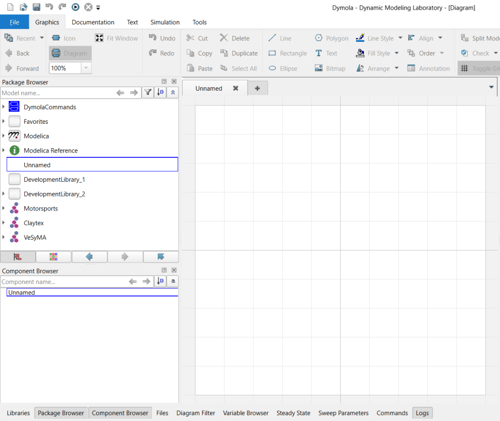
Installing Dymola on a Windows PC
A quick guide to installing Dymola on Windows, covering library selection, license setup, and compiler configuration. Get up and running quickly with this step-by-step installation overview.
Read more
 MBSE
MBSE
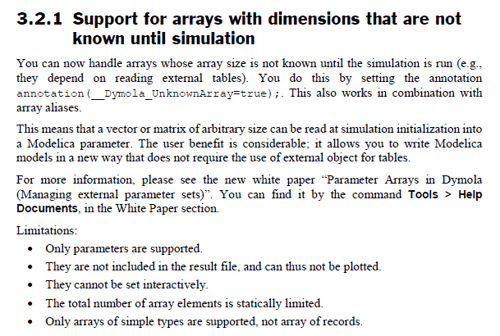
Libraries Browser, Package Browser, Ribbon and Simulation Window Setup
Improve your Dymola workflow with simple UI configuration tips, including library organisation, log window docking, and interface customisation for better usability.
Read more
 MBSE
MBSE
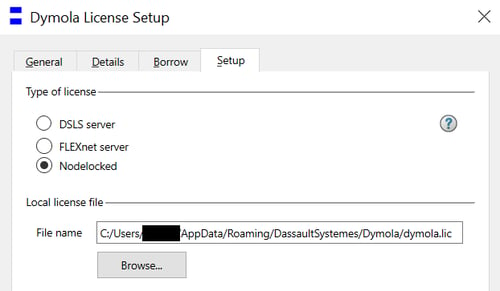
Wait, Dymola variable length array parameters at run-time!?
Discover how Dymola 2025x enables variable length arrays at run-time, removing compile-time limits and improving flexibility in Modelica simulations.
Read more
 MBSE
MBSE
Setting up the Dymola Runtime concept
Learn how to set up the Dymola Runtime concept license environment variables for FMUs, dymosim executables, and DymolaBlocks using FlexLM or node-locked licenses.
Read more
 Engineering
MBSE
Engineering
MBSE
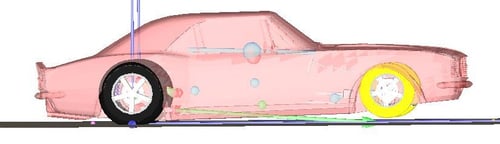
Dymola Applications at Claytex
Explore how Claytex has applied Dymola and Modelica across countless industries, from vehicles and energy systems to machinery, marine, and aerospace applications.
Read more
 MBSE
MBSE
Taking Dymola Drag Racing
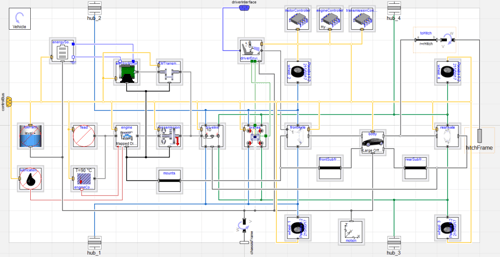
This blog post covers how to build out a set of drag racing simulation models in Dymola, utilizing the VeSyMA suite of Modelica libraries.
Read more
 MBSE
MBSE
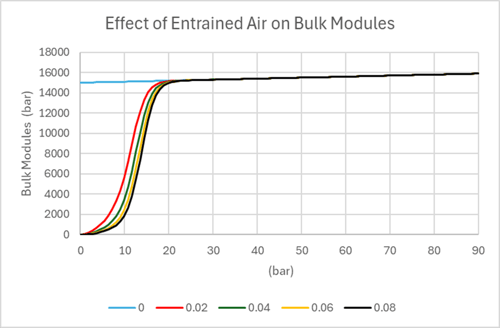
Modelling Air-Oil Mixtures in Hydraulic Systems: Understanding Bulk Modulus and the Claytex Fluid Power Approach
Reviewing the presence of air in oils, which significantly reduces the fluid's bulk modulus, and the modelling approach of FluidPower library.
Read more
 MBSE
MBSE
Using VeSyMA in MBSE
Understand how VeSyMA supports Model Based Systems Engineering (MBSE) across concept, development, and validation stages. Explore its role in ModSim, Virtual Twins, and Digital Twin workflows for system-level vehicle engineering.
Read more
 Engineering
MBSE
Engineering
MBSE
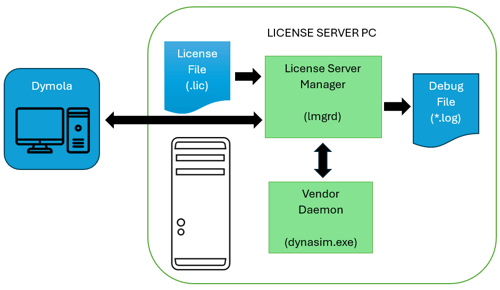
Dymola license server for novices
Learn how the Dymola FlexLM license server works, including installation, license borrowing, checkout behaviour, and practical troubleshooting tips for common issues.
Read more
 MBSE
MBSE
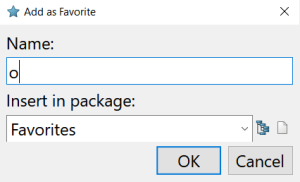
Using the favorites package in Dymola
Learn how to use the Favorites package in Dymola to quickly access and reuse frequently used models and functions. Improve workflow efficiency by simplifying navigation and command-line access in Modelica projects.
Read more
 MBSE
MBSE
Navigating the Frontiers of Artificial Intelligence: Struggles, Triumphs, and Future Challenges
An overview of the evolution of artificial intelligence, from early foundations and the AI winter to modern deep learning breakthroughs, highlighting key advancements, challenges, and future considerations.
Read more
 Aerospace & defence
MBSE
Aerospace & defence
MBSE
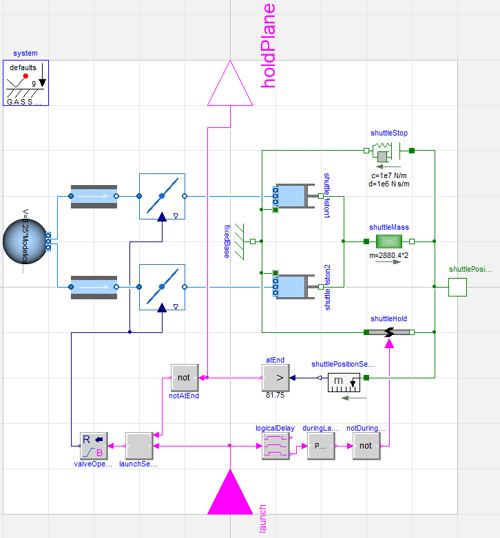
Steam powered aircraft catapult
See how a steam-powered aircraft catapult and Avro Lancaster were modelled in Dymola using fluid, mechanical, and flight dynamics simulation.
Read more
 MBSE
MBSE
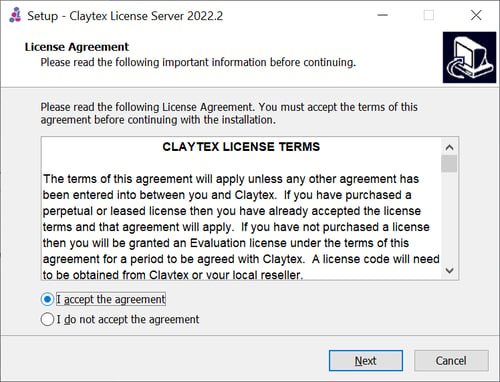
License Server Setup
Learn how to set up a Claytex license server on Windows Server 2022, with step-by-step guidance on configuring FlexNet licensing for network-based software access.
Read more
 MBSE
MBSE
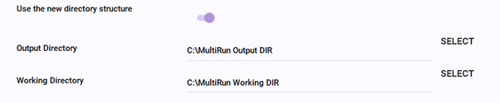
MultiRun – What Do the Outputs Look Like?
A deeper look at the MultiRun tool in Dymola, exploring output files, reporting structure, and how parallel simulation can support faster result generation and more effective debugging.
Read more
 MBSE
MBSE
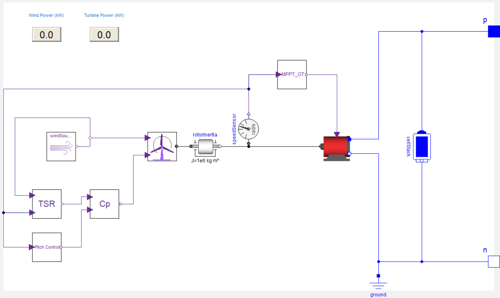
Modelling a Wind Turbine in Dymola
Learn how to model a wind turbine system in Dymola by integrating mechanical, electrical, and control components, and explore how wind conditions impact performance and energy output.
Read more
 Advanced Simulation
MBSE
Advanced Simulation
MBSE
Dymola and Modelica library (toolbox) licensing options
Learn about Dymola and Modelica library licensing, from perpetual and leased options to network licences, renewals, and academic bundles.
Read more
 MBSE
MBSE
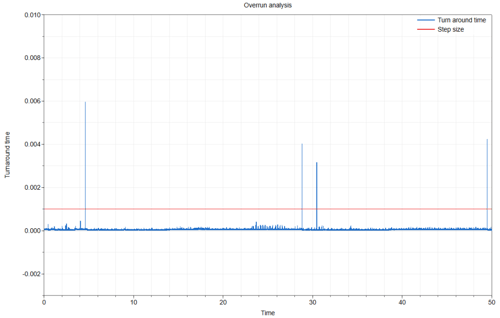
Removing Events from Models to Improve Real-Time Performance
Learn how to optimize real-time simulation performance and prevent HIL overruns by removing computationally expensive events in Dymola using the noEvent operator and eventless logic blocks.
Read more
 MBSE
MBSE
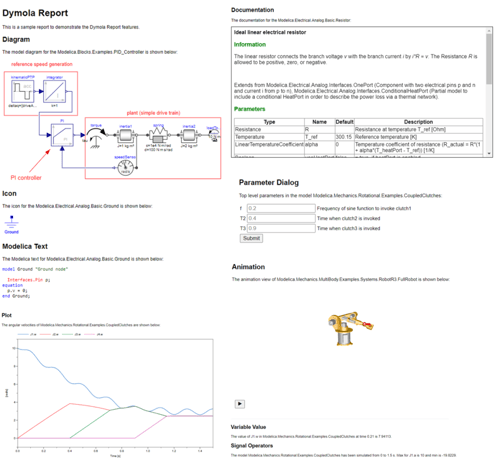
Dymola's HTML Report Generator
HTML Reports are a clear, lightweight and easy to use tool for distributing Dymola results, to both Dymola and non Dymola users alike.
Read more
 MBSE
MBSE
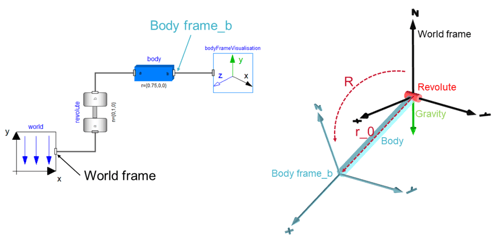
Resolving Between Multibody Frames
Learn how to manipulate and resolve 3D mechanical vectors and forces between different multibody coordinate frames in Dymola using the Modelica Standard Library.
Read more
 MBSE
MBSE
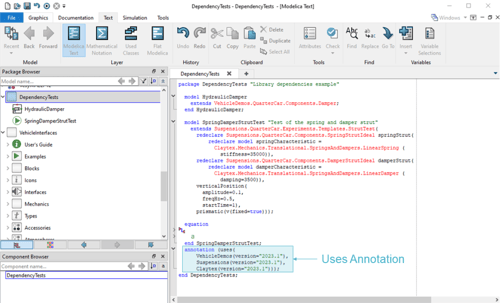
What are your library's dependencies?
Learn how to identify and manage Modelica library dependencies in Dymola using the getDependentLibraries function for improved compatibility, maintenance, and development workflows.
Read more
 MBSE
MBSE
Use of the model management library
Explore how the Model Management library in Dymola enables automated model creation, modification, and data handling to streamline workflows and improve simulation efficiency.
Read more
 MBSE
MBSE
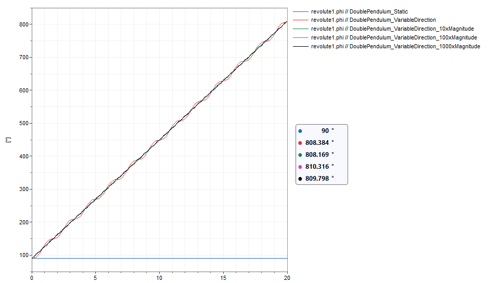
User defined variable gravity in Dymola
Learn how to implement a user-defined variable gravity field in Dymola using Modelica functions, enabling custom multibody simulations and advanced physics behavior.
Read more
 MBSE
MBSE
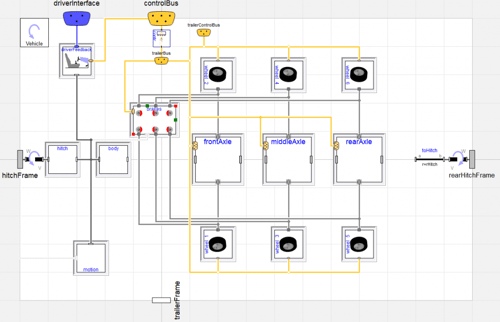
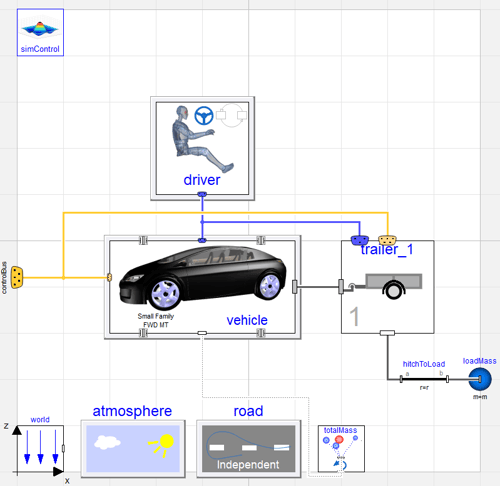
Creating an articulated lorry using a car simulator
Discover how an articulated truck model was built in Dymola using VeSyMA and Suspensions libraries, with new templates for axles, dual wheels, and dependent suspension.
Read more
 MBSE
MBSE
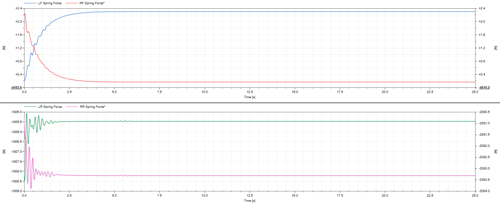
Dynamic initialisation in Dymola of full vehicle models
Supplying the correct initial conditions to your model helps Dymola's initialisation process robustly start simulation.
Read more
 Engineering
MBSE
Engineering
MBSE
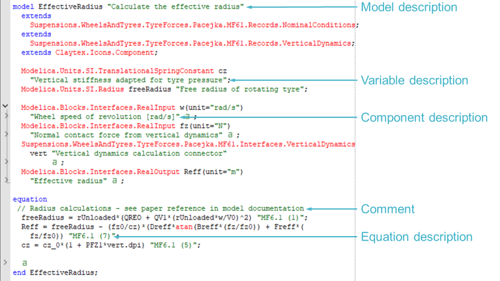
Documentation in Your Dymola Models
This blog post looks at the documentation options available in Dymola to help you improve the user friendliness of your models.
Read more
 MBSE
MBSE
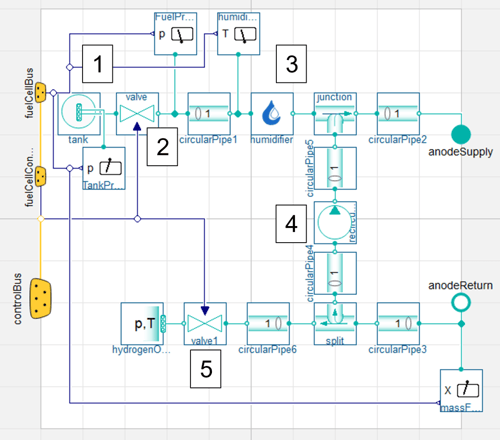
What can you get out of a detailed simulation? Taking a look at a fuel cell electric bus model
Explore the value of detailed simulation using a fuel cell electric bus model, from component sizing and control system design to system optimisation and digital twin applications.
Read more
 Advanced Simulation
MBSE
Advanced Simulation
MBSE
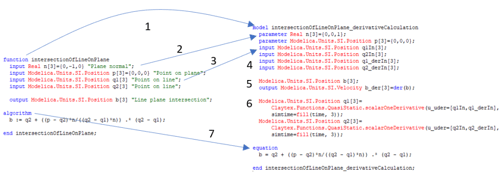
Create a derivative function using Dymola
Learn how to calculate the derivative of a function in Dymola using a practical example, including generating derivative algorithms and optimising the resulting code.
Read more
 MBSE
MBSE
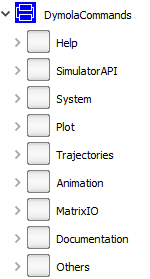
Useful commands and functions for scripting
Discover useful Dymola commands and Modelica functions for scripting, enabling automation of simulations, file handling, and efficient pre- and post-processing workflows.
Read more
 MBSE
MBSE
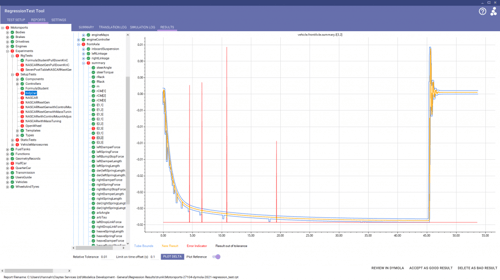
Library Model Testing for Bugs and Model Validity
Discover why continuous integration is essential for Modelica library development, reducing risk, improving efficiency, and ensuring reliable simulation results compared to manual testing.
Read more
 MBSE
MBSE
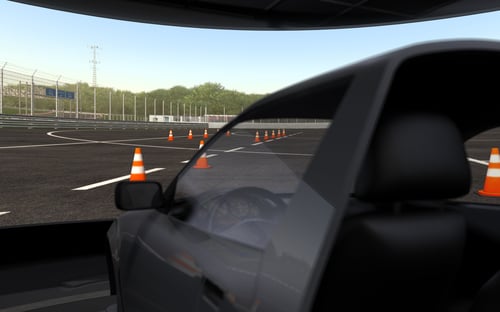
Solution selection in suspension aggregate joints for improved performance
Learn how solution selection in aggregate joints improves suspension model performance in VeSyMA Suspensions and VeSyMA Motorsports, enabling stable real-time simulations for driver-in-the-loop and motorsport applications.
Read more
 MBSE
MBSE
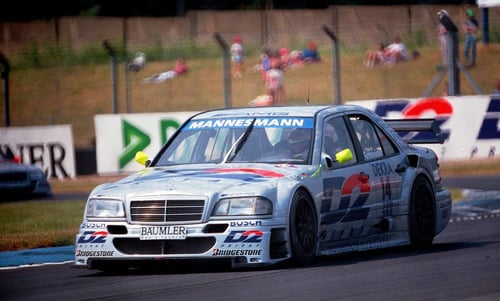
DTM 90's: Modelling Mercedes-Benz's active ballast system
Simple models can teach the fundamnetals of multibody modelling, and how Dymola and VeSyMA can be used to study complex vehicle dynamics.
Read more
 MBSE
MBSE
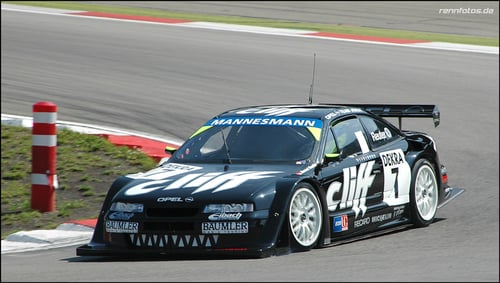
DTM in the 90s Part 2: Modelling Opel's Active Aerodynamics
In the 90s, the DTM saw unique technology. We take a look at modelling the Opel Calibra's active aero using multibody modelling in Dymola.
Read more
 MBSE
MBSE
Create your own simulation dashboard
Create a simple Dymola simulation dashboard using Python and PyQt6. Learn how users can modify key parameters and run simulations without needing Dymola expertise.
Read more
 Aerospace & defence
MBSE
Aerospace & defence
MBSE
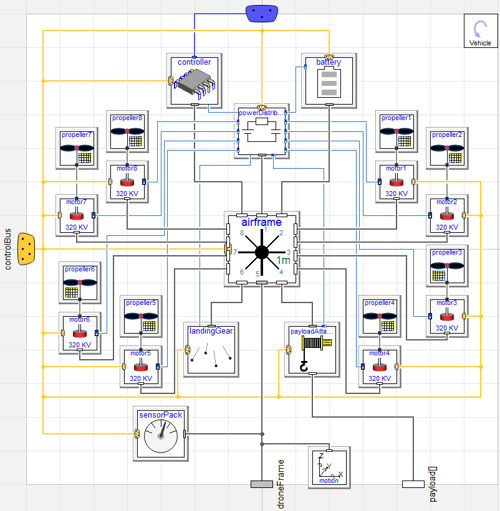
Major Updates to the UAVDynamics Library
Explore the latest UAVDynamics library updates, including new vehicle types, failure modes, and advanced modelling capabilities for UAV and aerospace simulations in Dymola.
Read more
 MBSE
MBSE
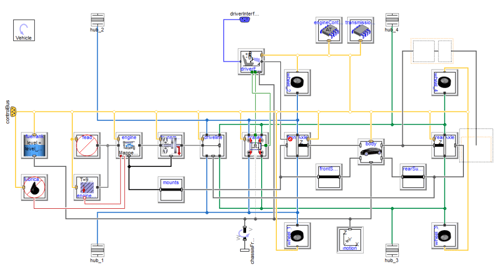
Searching code to find where a variable is defined
Learn how to easily search code and locate variable or parameter definitions within complex, hierarchical Modelica models using Dymola's Used Classes layer.
Read more
 MBSE
MBSE
Motorsport in the 21st Century: Claytex and the Modern Motorsport Paradigm
Discover how motorsport’s role in automotive development is evolving, from performance-driven innovation to knowledge transfer, simulation tools and engineer development.
Read more
 MBSE
MBSE
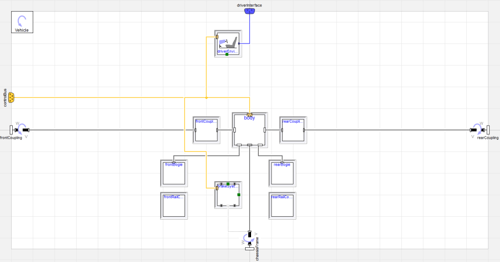
Systems modelling approach to railway simulation
Learn how Modelica and VeSyMA are used to simulate railway systems, from rolling stock templates to full train models and system integration.
Read more
 MBSE
MBSE
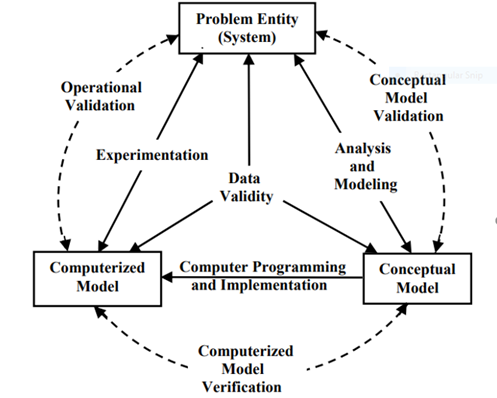
Verification & validation of a simulation model
Learn the fundamentals of verification and validation (V&V) for simulation models, including theory, processes, and practical steps to ensure accuracy and reliability in engineering applications.
Read more
 MBSE
MBSE
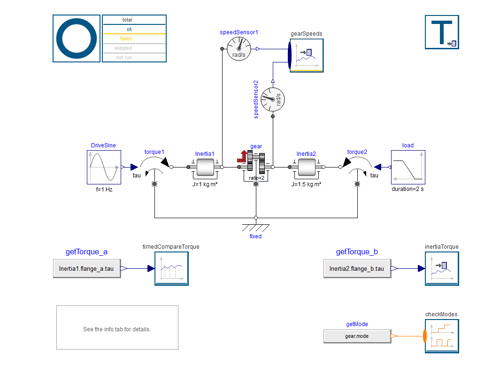
Testing library: a look inside
Overview of the Modelica Testing Library in Dymola. Learn how to create test models, generate reference results, and run regression tests efficiently.
Read more
 MBSE
MBSE
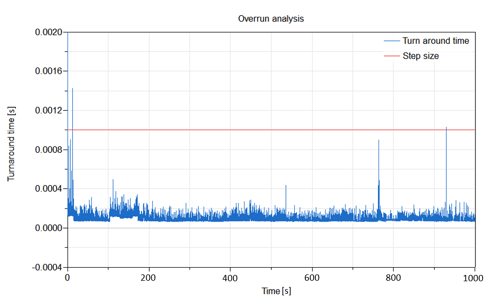
Real Time Cooling Systems
Explore the real-time capabilities and performance of thermo-fluid cooling models in Dymola, designed to run seamlessly with fixed time steps in HIL and DiL simulators.
Read more
 MBSE
MBSE
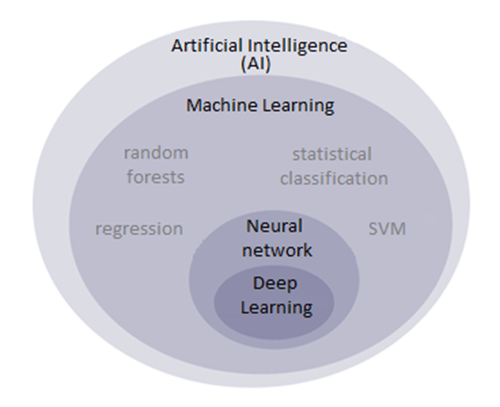
Introduction to Supervised Learning
In this blog post we will describe and exemplify the creation of a supervised learning algorithm, as well as define the vocabulary around it.
Read more
 MBSE
MBSE
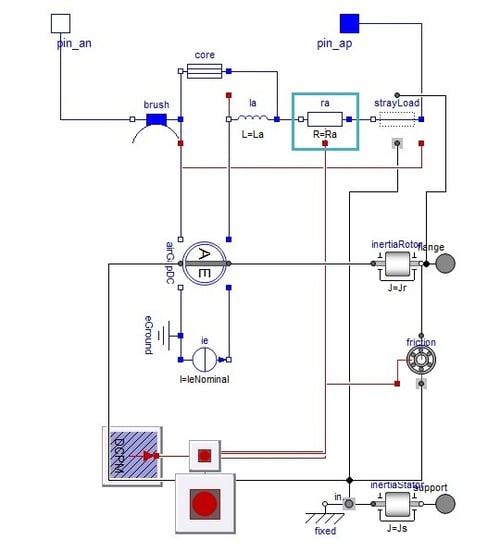
Using global connectors
Learn how to use global connectors in Modelica to aggregate properties like total mass across a system. This guide explains connector behavior, flow/across variables, and practical implementation in Dymola models.
Read more
 MBSE
MBSE
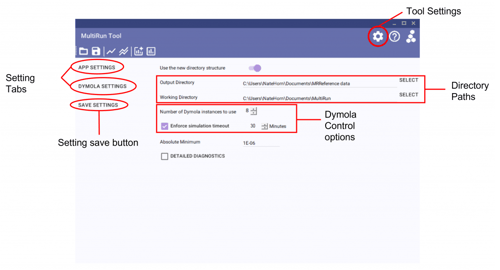
The MultiRun tool - localized regression testing made simple
Overview of the MultiRun tool for Modelica/Dymola, enabling fast parallel regression testing of model libraries. Learn how automated experiment execution, reference comparisons, and reporting streamline localized model validation during development.
Read more
 MBSE
MBSE
Removing Existing Parameter modifications in Dymola
Learn how to use the break keyword and the "Set to No Value" GUI option in Dymola to easily remove existing parameter modifications and start values for model reuse.
Read more
 MBSE
MBSE
Nice Clear Logs
Learn how to declutter the Dymola log window by resolving common warning messages, making it easier to debug models and identify critical issues.
Read more
 MBSE
MBSE
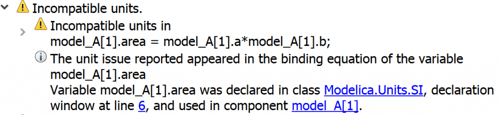
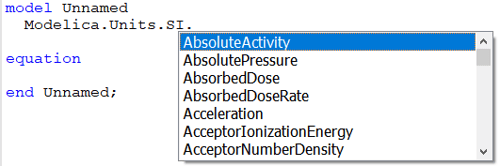
Keyboard shortcut for setting SI units
Learn how to quickly set SI units in Dymola 2022x using a new keyboard shortcut, improving model accuracy and avoiding unit errors with built-in unit checking.
Read more
 MBSE
MBSE
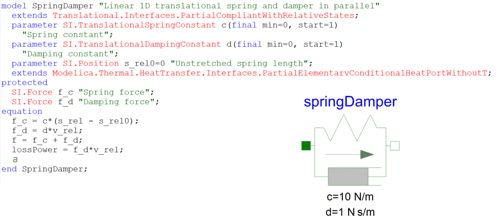
Model Openness and Customisation in Dymola
This blog post covers the advantages of using Dymola for physical modelling over your more traditional simulation environments.
Read more
 Aerospace & defence
MBSE
Aerospace & defence
MBSE
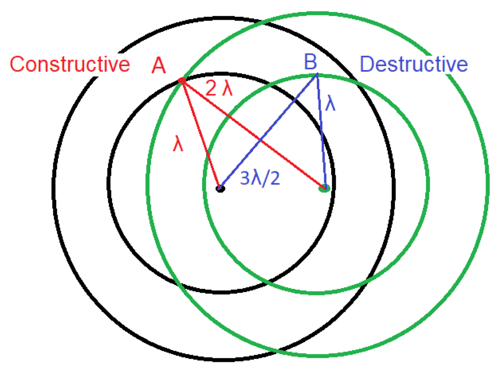
Modelling of Phased Array Antenna
Learn how phased array antennas work and how to model beam patterns using interference principles, exploring how array configuration influences directivity and performance.
Read more
 MBSE
MBSE
Leveraging Existing Modelica Libraries in Your Simulations
Learn how to leverage Modelica libraries in Dymola to accelerate system simulation, reduce complexity, and combine multi-domain models without needing deep expertise in every component.
Read more
 MBSE
MBSE
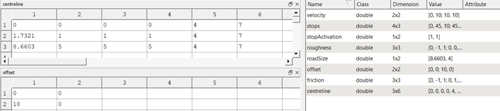
Understanding the VeSyMA road model
Learn how VeSyMA road models work in Dymola, including data structures, road file formats, and differences between GenericRoad and IndependentDrivingLine approaches.
Read more
 MBSE
MBSE
Synchronising push swings
Synchronisation of coupled push swings using a Modelica/Dymola model inspired by the Kuramoto model. Demonstrates how simple control strategies can lead to phase synchronisation in oscillating systems.
Read more
 MBSE
MBSE
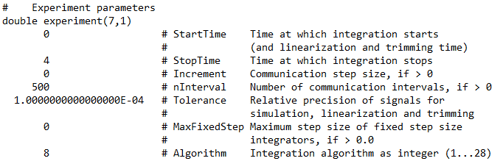
Run dymosim.exe From the Command Line
Learn how to run the Dymola dymosim executable from the Windows command line or Linux terminal, configure dsin.txt settings, and execute parallel batch runs.
Read more
 MBSE
MBSE
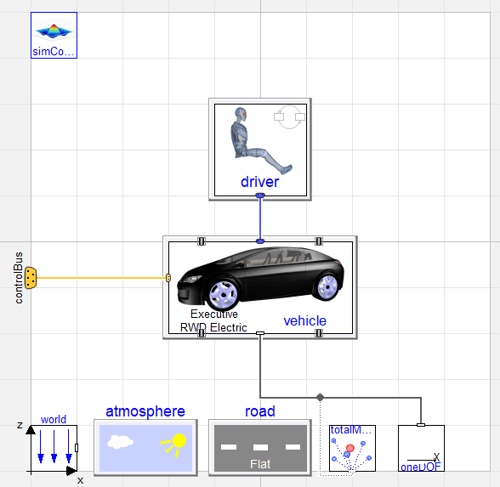
Sensitivity testing of vehicle efficiency using VeSyMA drive cycle
Discover how to perform sensitivity testing on electric vehicle efficiency using VeSyMA drive cycle simulations to analyze the impact of gradients, crosswinds, and roof boxes on battery SOC.
Read more
 MBSE
MBSE
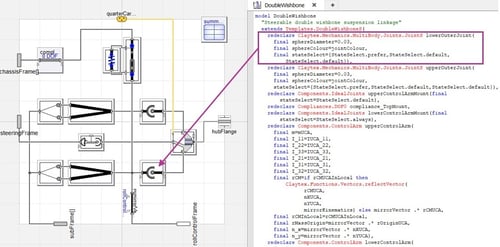
Revealing Hidden Content in Dymola
Learn how to reveal hidden parameters, concealed libraries, and invisible diagram connections in Dymola using built-in settings to troubleshoot and understand complex models.
Read more
 MBSE
MBSE
VeSyMA sign convention
Understand VeSyMA sign conventions for vehicle simulations, including road, motion, and mechanical variables, to ensure accurate interpretation of results and system behaviour.
Read more
 MBSE
MBSE
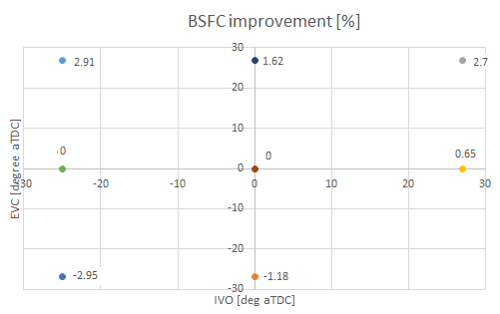
Variable valve timing on the effect of brake specific fuel consumption (BSFC) improvement: a study at part load using VeSyMA - Engines
Explore how variable valve timing (VVT) impacts brake specific fuel consumption (BSFC) at part load using VeSyMA Engines. Learn which valve strategies improve efficiency and why.
Read more
 MBSE
MBSE
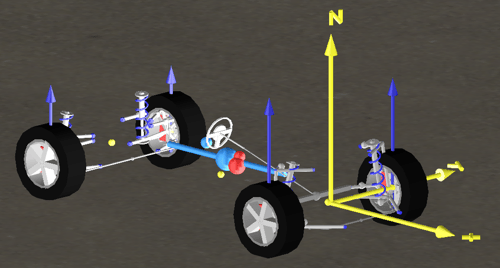
Vehicle origins and coordinate systems
Learn how to define vehicle origins and coordinate systems in Modelica and VeSyMA. Avoid common orientation errors, align subsystems correctly, and ensure accurate simulation results from the start.
Read more
 MBSE
MBSE
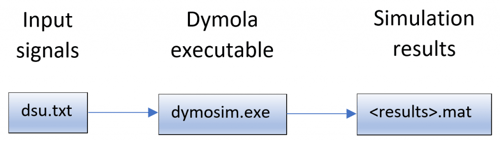
Simulating Models with dsu.txt Inputs
Learn how to simulate Dymola models with dsu.txt inputs to replay hardware-in-the-loop (HiL) test signals, debug models, and use Claytex.FileReader alternatives.
Read more
 MBSE
MBSE
Installing Dymola on a Windows PC - Part 2
Quick guide to installing Dymola on Windows, including library selection, license configuration, and compiler setup. Follow simple steps to get your simulation environment ready and start modelling quickly.
Read more
 MBSE
MBSE
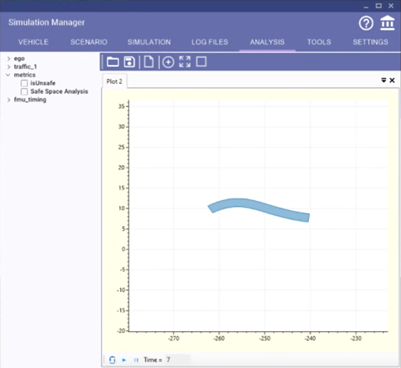
Test metrics
Learn how test metrics in Simulation Manager enable fast evaluation of simulation results, from real-time KPIs to post-processing for autonomous vehicle testing.
Read more
 Engineering
MBSE
Engineering
MBSE
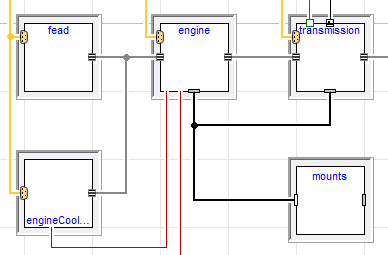
The Analytical Jacobian
Improve Dymola simulation performance by reducing numerical Jacobians. Learn why Jacobians matter, how analytical ones accelerate models, and how to guide Dymola to generate them.
Read more
 MBSE
MBSE
When to extend, duplicate or create from scratch
Learn when to extend, duplicate, or build models from scratch in Modelica and Dymola, with practical VeSyMA examples to improve efficiency, flexibility, and maintainability.
Read more
 MBSE
MBSE
Control of model parameters
Component orientated modelling provides a convenient method of clicking on components to bring up a dialog of parameters to control that components behaviour.
Read more
 MBSE
MBSE
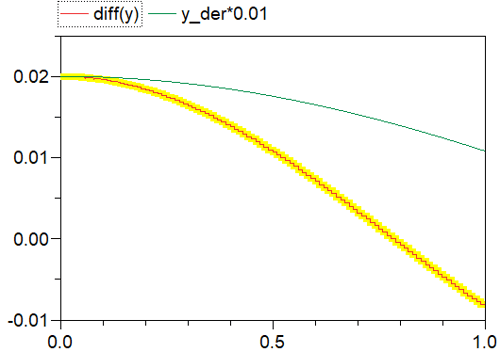
Checking derivatives by using the plotting features
Learn a simple method for checking function derivatives in Dymola using plotting tools and signal operators, with a worked example and practical comparison techniques
Read more
 Engineering
MBSE
Engineering
MBSE
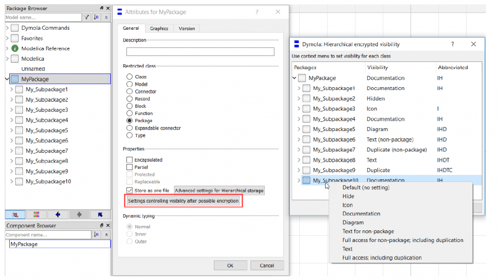
Dymola Library Concealment - How to, and why?
Concealment of Dymola library code and IP is very useful, enabling libraries with sensitive data and models to be shared safely and easily.
Read more
 MBSE
MBSE
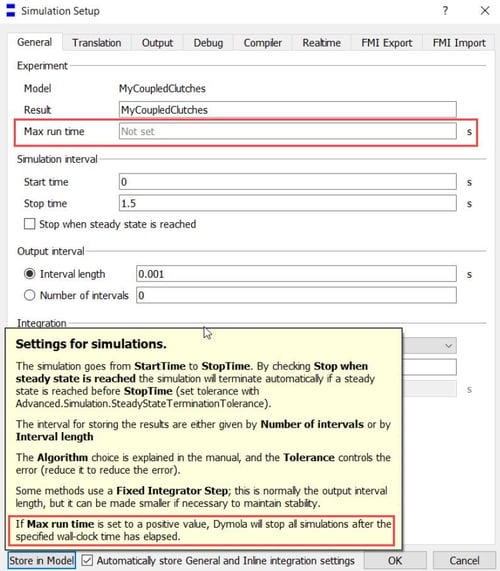
Two of the many new features in Dymola 2022 - "Max run time" and "Stop when steady state is reached"
Overview of Dymola 2022 features: Max Run Time and automatic steady-state termination, helping control and shorten simulation runs efficiently and improve workflow.
Read more
 MBSE
MBSE
Simulation's role in delivering Industry 4.0 vehicles
Explore how simulation supports Industry 4.0 vehicle development, enabling rapid evaluation of competing propulsion technologies, virtual testing of hybrid and electric systems, and faster decision-making for automotive OEMs using VeSyMA tools.
Read more
 MBSE
MBSE
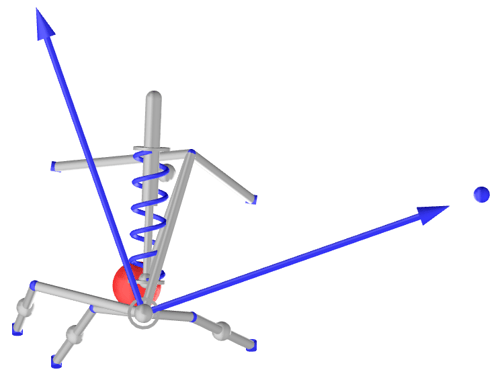
Instant Centre for any Suspension Linkage
Learn how to calculate suspension instant centres using a hub dynamics approach. This advanced guide compares traditional geometric methods with a more accurate, flexible technique for analysing complex vehicle suspension systems.
Read more
 MBSE
MBSE
Installing Dymola on Ubuntu for Linux novices
This blog post looks at installing Dymola on Ubuntu for users that are not experienced with Linux; a step by step process for Linux novices.
Read more
 MBSE
MBSE
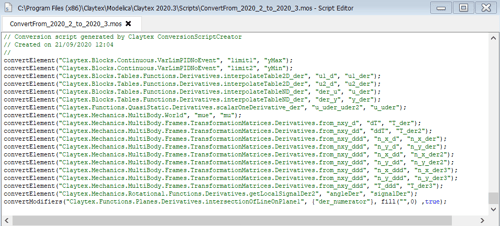
Migration to Newer Library Versions
Learn how to migrate Modelica libraries in Dymola using conversion scripts, ensuring compatibility with new versions while maintaining model integrity and performance.
Read more
 MBSE
MBSE
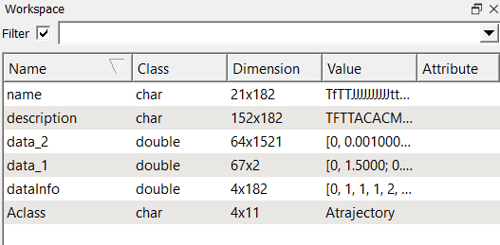
Trajectory file - what is it? Dissecting a Dymola result file
Explanation of Dymola trajectory result files, breaking down structure, data matrices, and metadata to help interpret simulation outputs outside Dymola.
Read more
 MBSE
MBSE
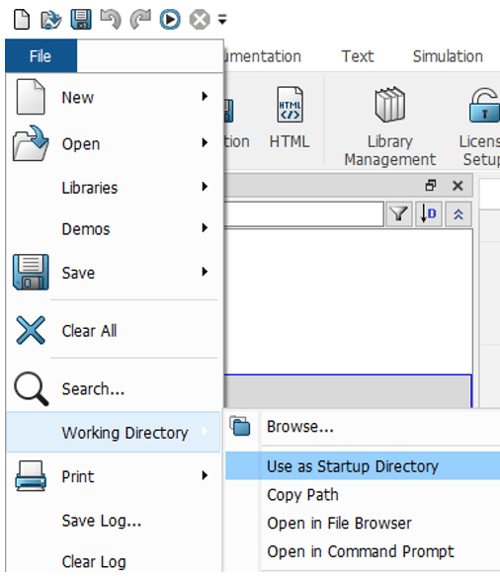
Load or Open? Save All, Save or Save Total?
Learn best practices for managing models and libraries in Dymola, including when to use Load, Open, Save, Save All, and Save Total to improve workflow efficiency.
Read more
 Engineering
MBSE
Engineering
MBSE
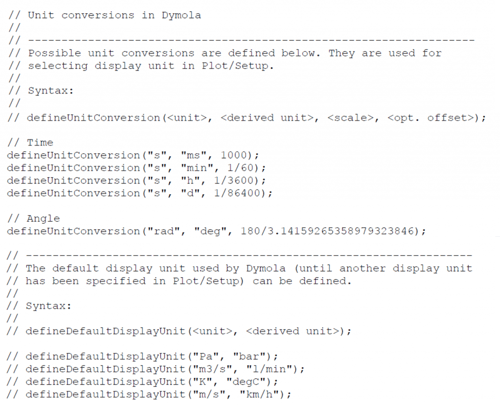
Display unit custom conversions - A how to guide
Dymola features inbuilt functions designed to support any non-SI display unit. Learn how to define and impliment non-SI units in Dymola.
Read more
 MBSE
MBSE
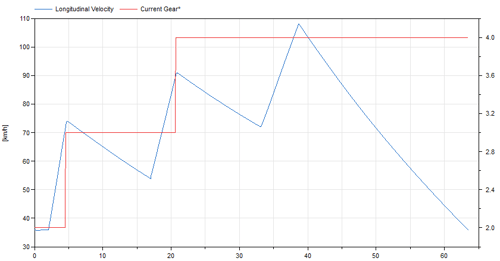
Test sequence driver
Learn how the VeSyMA Test Sequence Driver combines open and closed loop control to run complex vehicle simulations and durability tests.
Read more
 MBSE
MBSE
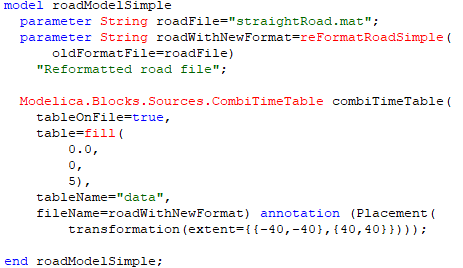
Pre-processing .mat Files
Learn how to automate and optimize the pre-processing of external .mat data files directly within a Modelica model using file modification time checks to improve efficiency.
Read more
 Energy, process & utility
MBSE
Sustainability
Energy, process & utility
MBSE
Sustainability
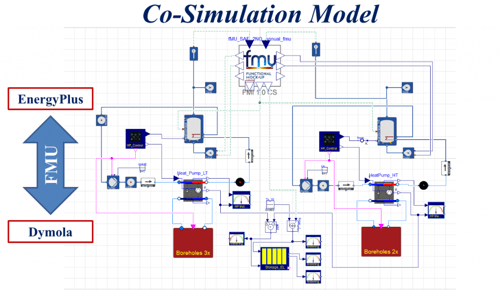
Co-simulation tool for hybrid energy system optimisation
Explore a case study with NTU on co‑simulating building thermal management systems using Dymola and Energy+, assessing renewable heating solutions for 39 UK homes.
Read more
 MBSE
MBSE
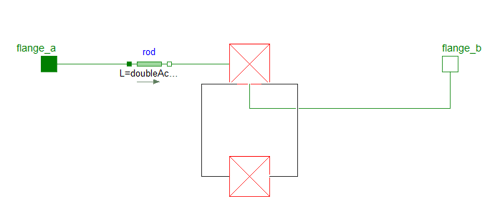
Troubleshooting non-model related Dymola failures
Guide to troubleshooting non-model related Dymola issues, including missing libraries, licensing problems, version mismatches, and network license handling.
Read more
 MBSE
MBSE
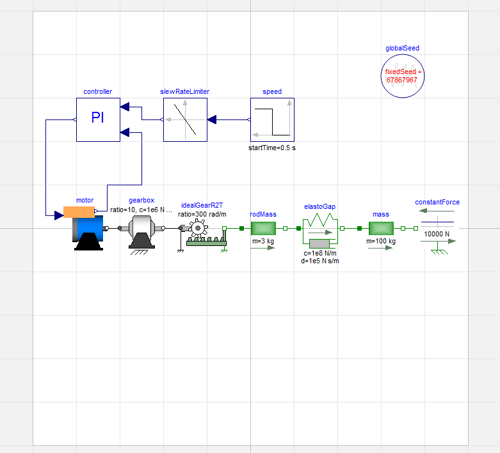
Tidy & descriptive models please: using the grid and descriptions
Best practices for building clean Modelica models in Dymola, focusing on diagram layout using grids and the importance of clear, updated class and parameter descriptions.
Read more
 MBSE
MBSE
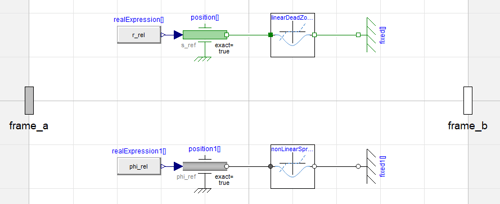
Vehicle simulations with degraded suspension bushes
This post explores developing, testing and evaluating the effect of degraded bushes on quarter car and full vehicle loads and kinematics.
Read more
 MBSE
MBSE
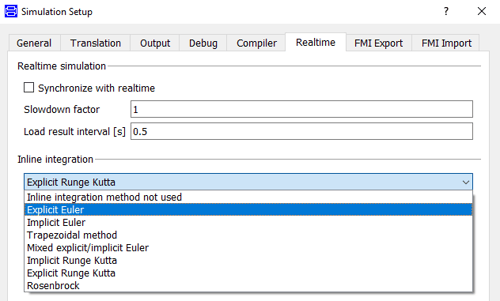
Stability of explicit Euler solvers
Explore the stability limits of explicit Euler and explicit Runge Kutta solvers in Dymola for Hardware-in-the-Loop applications, including stability regions, pole analysis, solver selection, and techniques for improving real-time simulation performance.
Read more
 MBSE
MBSE
Dymola Python Training
The new training course allows students to use the Python Interface with Dymola and focuses on the basics of how to use the interface effectively in any application.
Read more
 MBSE
MBSE
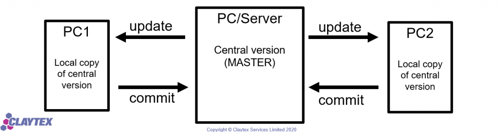
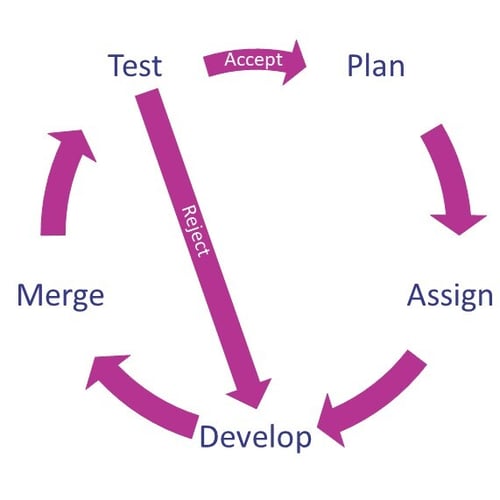
The cost of not using version control
The cost of not using version control in model library development, comparing manual file management with tools like Git/SVN. Shows how proper revision control dramatically reduces time spent on rewinding, merging, and maintaining Modelica libraries in both single- and multi-user workflows.
Read more
 MBSE
MBSE
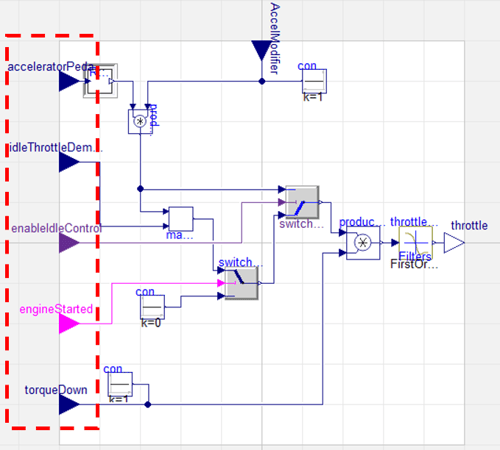
Effective modelica library development
Learn how Claytex develops robust Modelica libraries using continuous integration, automated regression testing, version control and Dymola‑based workflows.
Read more
 MBSE
MBSE
Reducing Non-Linear Systems with Filters
Learn how to use filters to break up large non-linear systems and algebraic loops in Dymola, balancing simulation speed increases against model states and lag.
Read more
 MBSE
MBSE
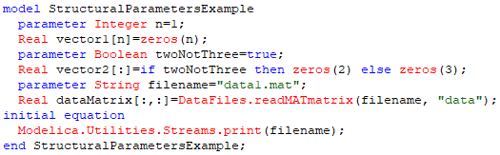
Modifying Evaluated Parameters in Multiple Simulations
Learn how to modify evaluated parameters in Dymola using batch simulations, including syntax, structural parameters, and efficient workflows for repeated model runs.
Read more
 MBSE
MBSE
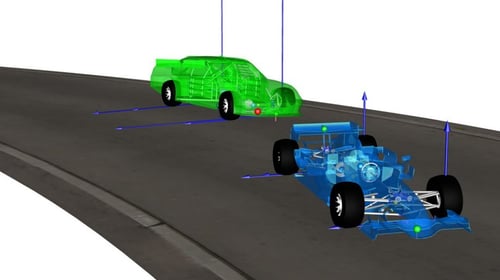
License Free Deployment
Discover why Dymola and Modelica are widely used in motorsport, enabling scalable, license-free deployment of simulation models for rapid, high-performance vehicle development.
Read more
 MBSE
MBSE
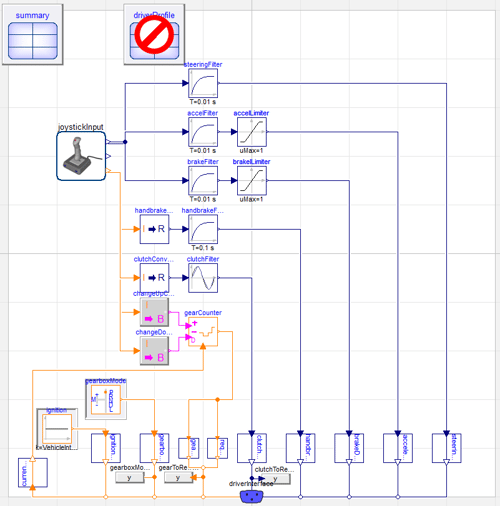
Driving With An Xbox Controller in Dymola
Explore how to control vehicle models in Dymola using the DeviceDrivers library and a gaming controller for interactive, real‑time vehicle simulation.
Read more
 MBSE
MBSE
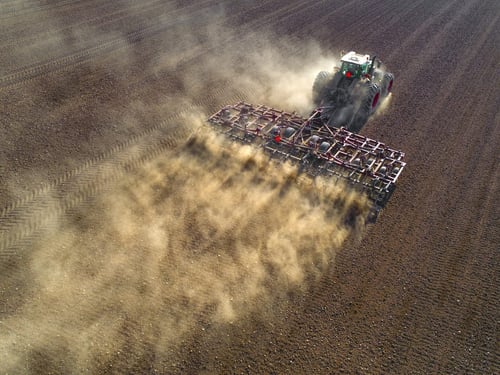
Electrification of agricultural machinery
Discover how systems modelling and simulation support electrification, thermal management and autonomy in agricultural machinery using Modelica and Dymola.
Read more
 MBSE
MBSE
The Dymola translation log
Learn how to interpret the Dymola translation log and use model statistics, states, and solver information to improve Modelica model robustness and performance.
Read more
 MBSE
MBSE
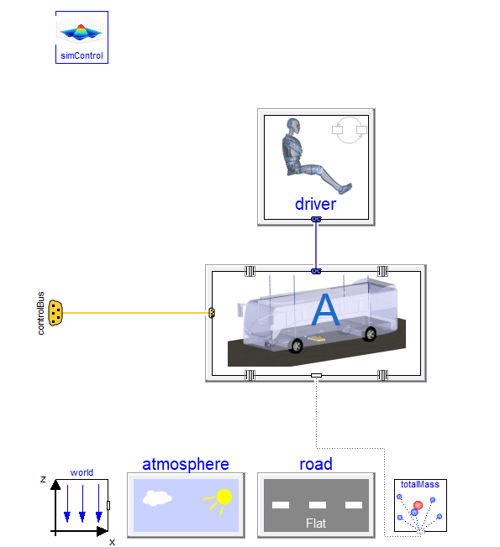
Electric bus modelling with VeSyMA, TiL and Human Comfort
Learn how VeSyMA, TiL and Human Comfort libraries are used in Dymola to model electric bus energy, thermal management and passenger comfort.
Read more
 MBSE
MBSE
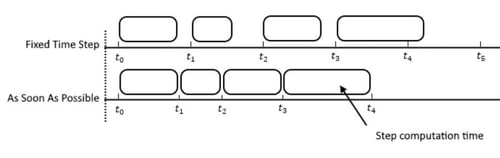
Simulation control for vehicle automation
Explore simulation control strategies for vehicle automation, including fixed-step vs ASAP execution, real-time synchronization, sensor–environment interaction, and vehicle control cycles for driver-in-the-loop and autonomous system testing.
Read more
 MBSE
MBSE
Dymola warnings: Redeclaration requires a subtype
Learn why the ‘Redeclaration requires a subtype’ warning occurs in Dymola and how to fix it by correctly extending base classes in Modelica.
Read more