
Matt Clarke, Principal Analyst
Overview
The Coupled Eulerian‑Lagrange (CEL) is an analysis technique available in the Abaqus/Explicit, which allows the solution to mix both Lagrangian and Eulerian finite elements in the same model. Langrangian finite elements represent allow the deformation of the volume of material they represent to be calculated, which Eulerian elements track the flow of material through a fixed grid of elements making them ideal for modelling extreme deformations, up to and including fluid flow. The interaction between the different domains is handled using General Contact.
Recently we received a request to create a replication study of a CEL analysis presented in the literature by Nietiedt et al (2022), where the authors present a method for studying the effects of a steel pile striking a boulder during the insertion process. The request was related to creating models using Abaqus/CAE, but the paper describes a fairly large parametric study. As I was building the models it occurred to me that this type of project would be particularly well suited to tools in the 3DEXPERIENCE platform.
The model I’m going to be discussing in this blog is shown in Figure 1.
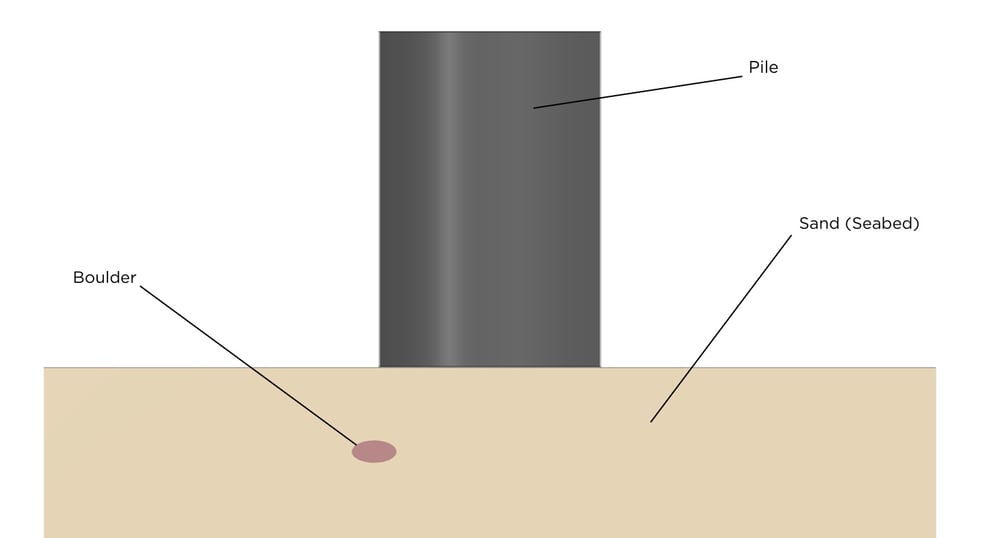
1 Figure 1 Assembly Geometry of Pile Insertion Model
Before going any further I would like to acknowledge the work of the original authors in presenting such an interesting study and for publishing a really good example of a paper that allows for replication by others trying to follow the work.
So, what am I doing here that is different? The main difference is the degree of parameterisation that is possible with 3DEXPERIENCE platform compared with Abaqus/CAE. This makes it much easier to make a single model that is modified and reused for each configuration in the study, with minimal effort required from the user once the parameterised model is set up. I also really like the workflow for CEL in the Mechanical Scenario App, which is a bit more intuitive than the process within Abaqus/CAE
Model Workflow
The model geometry is largely defined in a top‑down manner from user parameters specified at the assembly level. This requires the user to specify the boulder diameter and aspect ratio, pile diameter and loading eccentricity between the boulder and pile. These parameters are then referenced at the part level to define the complete geometry, using equations generated in Enterprise Knowledge Language (EKL) where necessary. Once the model is complete, changing to a new configuration just requires the parameters in the assembly level to be modified, with only minimal knowledge of CAD or FE required to make changes. Figure 2 shows an example of parameter definition and referencing in a sketch.
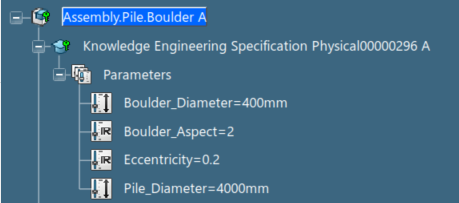
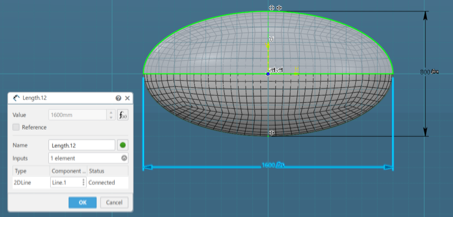
Figure 2 Parameter Definition (Assembly Level) and Reference (Part Level)
Setting up an Eulerian domain in the Structural Scenario Creation app is a straightforward and intuitive process. I created the overall geometry for the Eulerian domain (the complete volume where material could flow). This was meshed with a structured mesh of hexahedral elements, with local refinements in the areas where contact with the pile would occur. Looking vertically downwards this is as shown in Figure 3. The colour coding is the same as in Abaqus /CAE, with structured mesh volumes in green and swept mesh in yellow. The red edges indicate non-manifold topology, where partitioning has been used to enable better control of meshing.
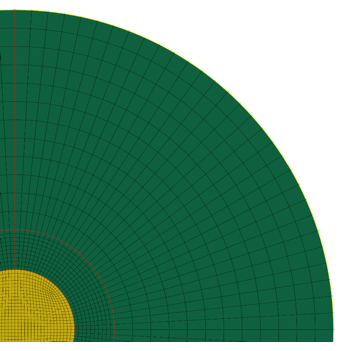
Figure 3 Eulerian Domain Finite Element Mesh
I then used the Boolean tools in the CATIA apps to create geometry representing the initial volume for the Eulerian domain, which is shown in section in Figure 4
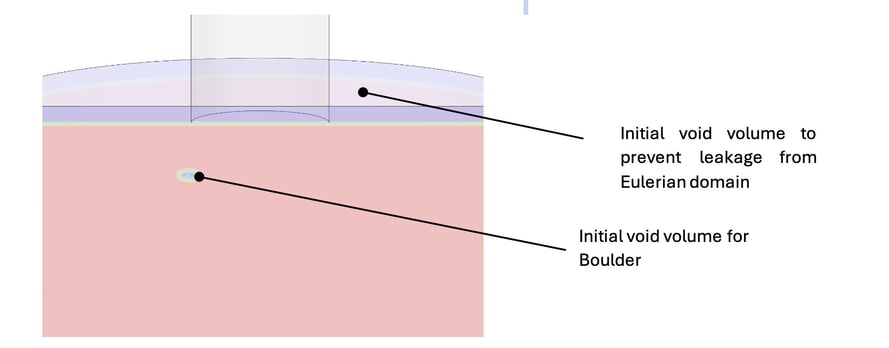
Figure 4 Section Through Initial Volume for Eulerian Domain
The Eulerian definition is completed by assigning an initial volume fraction of material to the required region using the “Computed” option. In this case I picked mesh shown in Figure 3 as the support and then assigned material with “Computed” volume fraction inside the part body shown in
Figure 4. There are other options available from the drop-down menus to allow direct specification of initial volume fraction or that material is outside of the specified support geometry. Unlike in Abaqus/CAE, the initial volume fraction updates automatically if the support geometry is modified, without requiring the intermediate step of creating a volume fraction field. The options selected are shown in Figure 5.
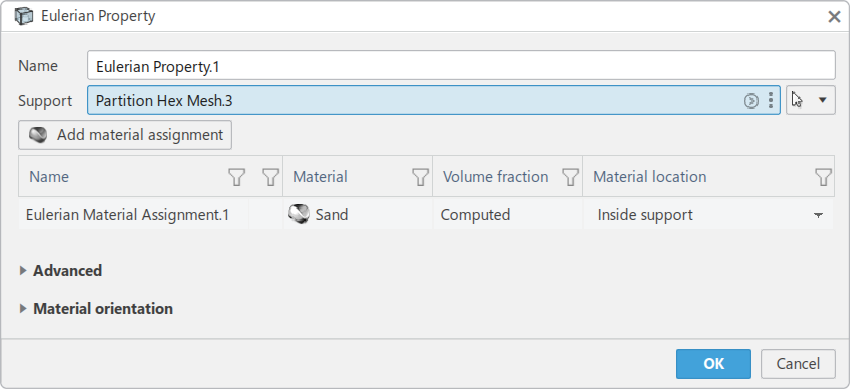
Figure 5 Eulerian Property Dialog Options
Although I didn’t use them in this study there are some useful options under the advanced tab that allow for the Eulerian domain to update as the analysis progresses. This avoids needing to have an excessively large Eulerian mesh by keeping the domain wrapped tightly to the Lagrangian geometry and using automatic local refinement.
The remainder of the model was specified using methods that are fairly common to Abaqus/CAE and 3DEXPERIENCE platform simulations. The boulder was treated as a rigid object, with the pile modelled using shell elements. I tend to use General Contact for most applications these days, but CEL models have to use General Contact anyway to define the interaction between the Lagrangian and Eulerian domains. Materials data were taken from the published paper, which meant that the stiffness of the sand varied as a function of depth. This can be defined by describing the material properties as a function of a field variable. Unfortunately, the capability to define a field varying as a function of coordinates is not yet implemented in the app I was using, so I used a Fortran user subroutine instead.
Results
I ran the simulation on the DS cloud, which took just over an hour to run a simulation of 1.1 seconds of pile insertion. As you can probably guess from this, the insertion speed was scaled to reduce the computational time.
Postprocessing with Physics Results Explorer is a little different to Abaqus/Viewer in that the Eulerian is displayed through the Species sub option of the Entities tab, rather than by using an iso-surface. Figure 6 shows the display group options I used for visualisation.
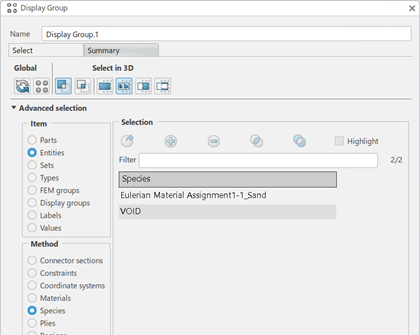
FIGURE 6 Display Group Options for Eulerian Domain Visualisation
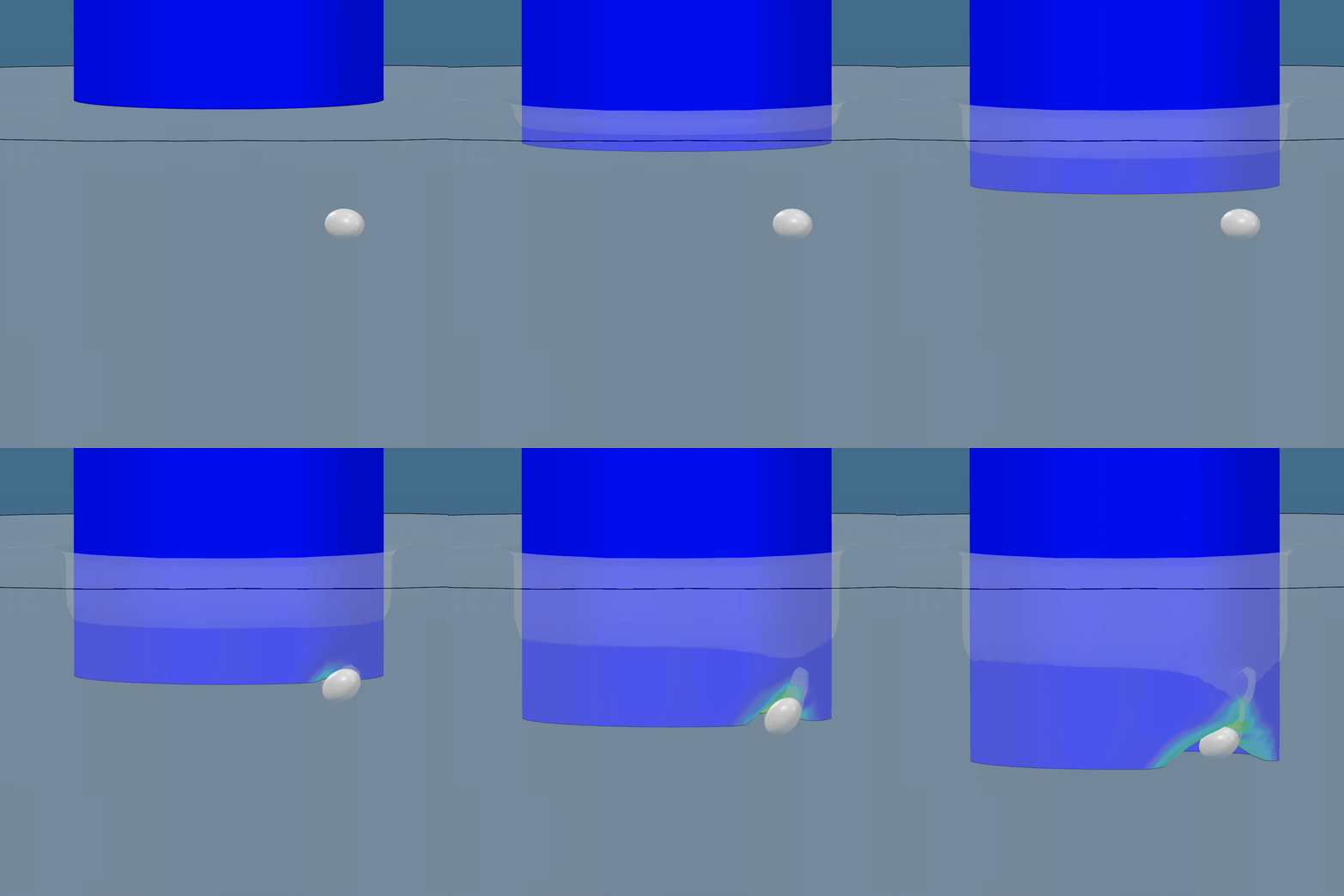
The animations below show the results. I’ll be completely honest here and say that I haven’t exactly correlated my results to those published, I was more interested in the general methodology of setting this up as a parametric study. That said, the results look reasonable and I’m sure with a bit of work it would be possible to recreate the published study to a good degree of accuracy. I particularly like the way the sand can be seen being extruded up inside the pile as insertion progresses.
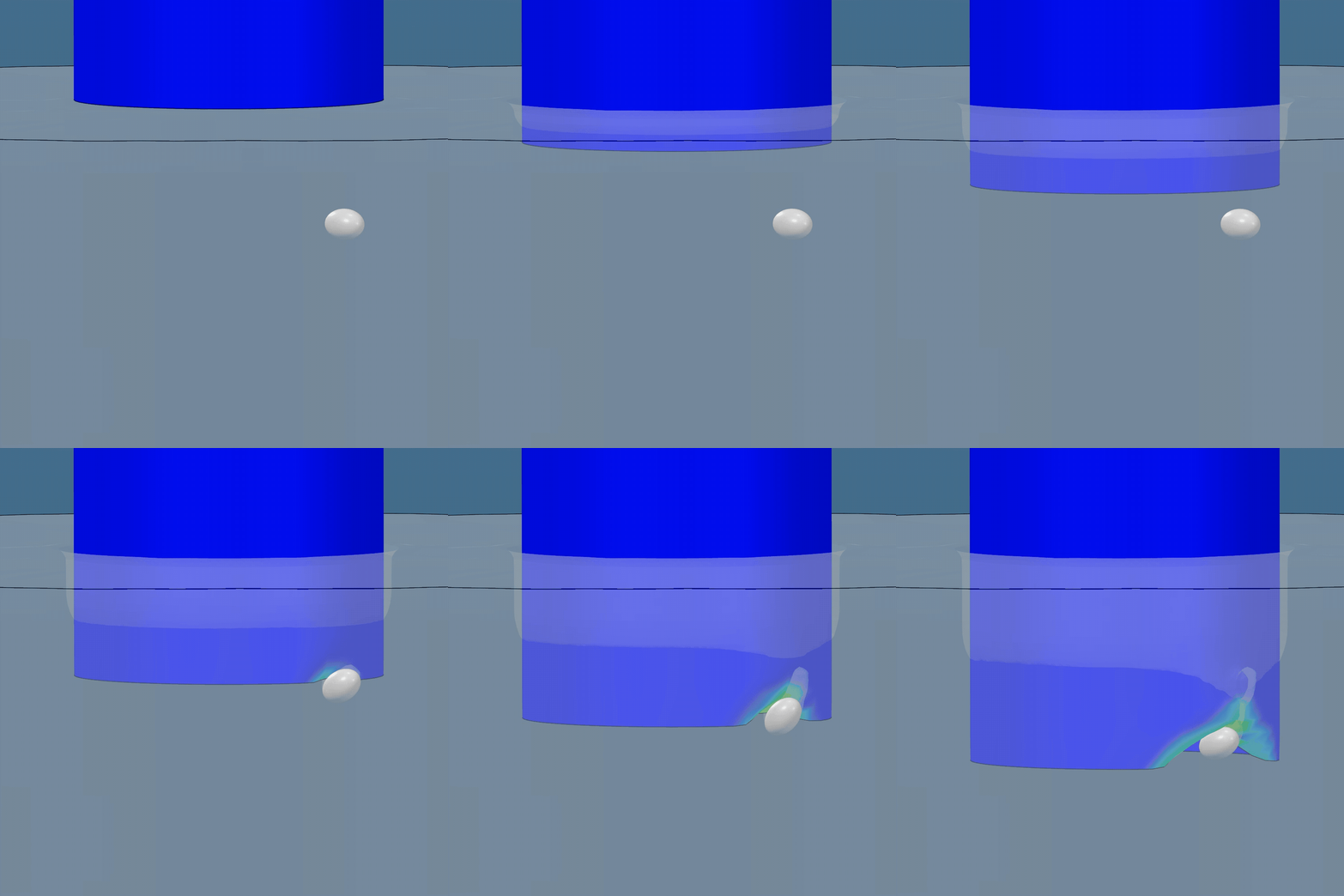
|
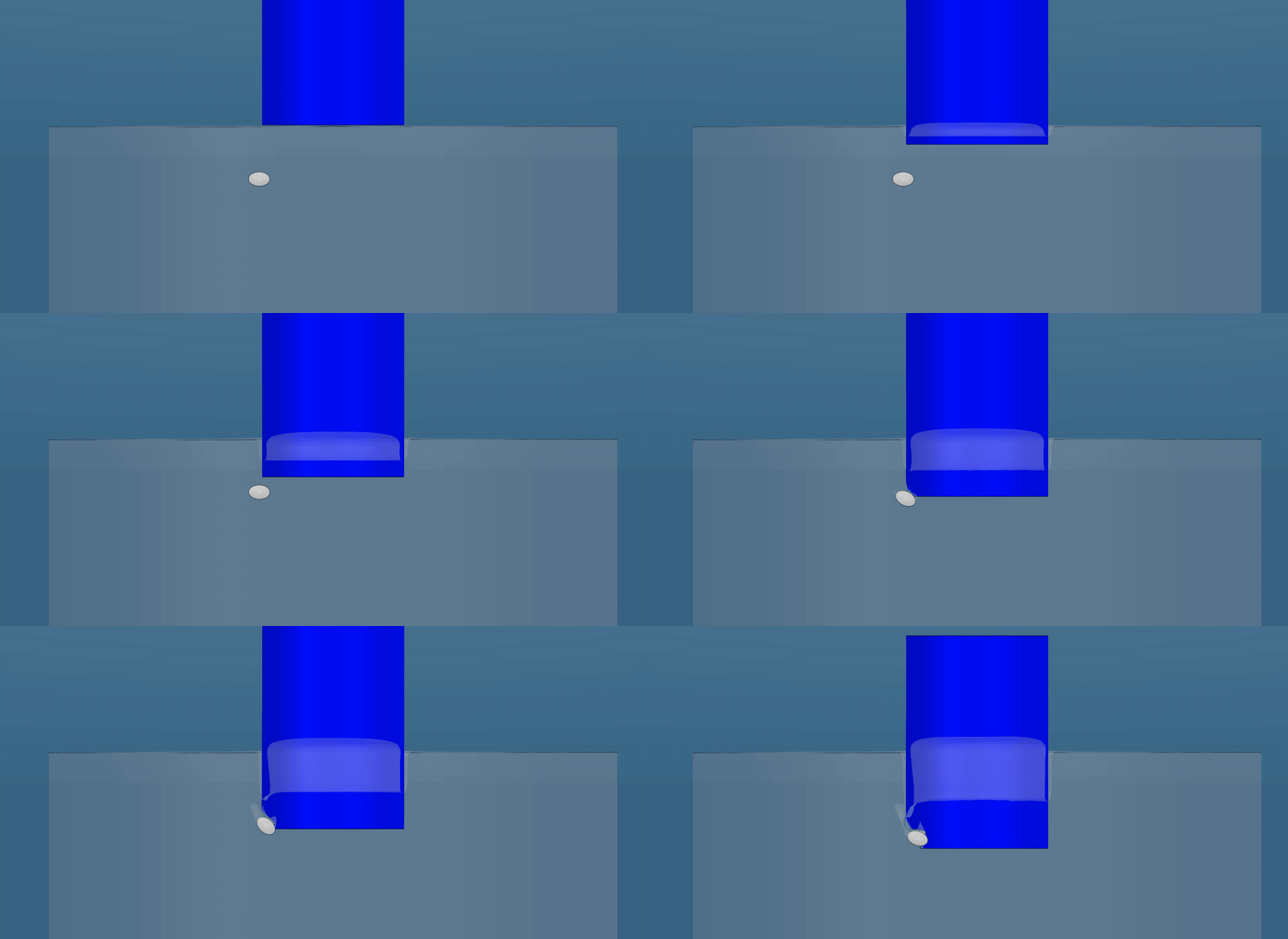
|
As I noted earlier, this model is created using EKL parameters so updating to a new configuration is just a matter of changing the parameter values at the assembly level. I timed an update cycle, and it took around a minute to update and be ready to run a new simulation. Physics Results Explorer is my post-processing tool of choice now, even when I use Abaqus/CAE for preprocessing, as any content such as graphs, customised plots, display groups etc are automatically updated once new results are generated for a particular analysis. This saves a lot of repetition in creating results outputs.
Reference
Nietiedt, J.A. et al. (2022). Numerical assessment of tip damage during pile installation in boulder rich soils. Géotechnique 1–39. http://dx.doi.org/10.1680/jgeot.21.00395.

