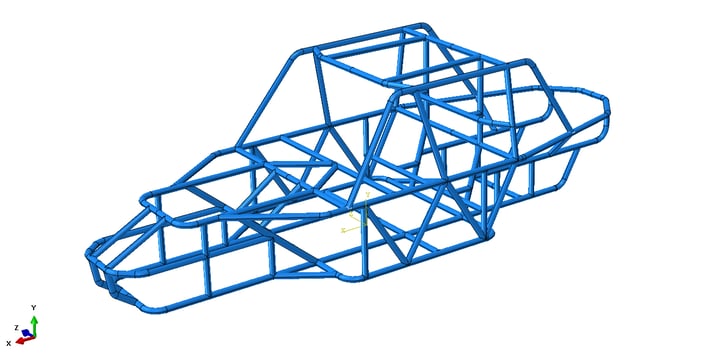
Tubular steel structures are a common engineering feature but one which can cause problems when taking the geometry from CAD to FEA, in this case SolidWorks to Abaqus CAE.
This is a particular issue when importing a multipart body that you want to be merged into a single part so that tie constraints are not required to hold the body together.
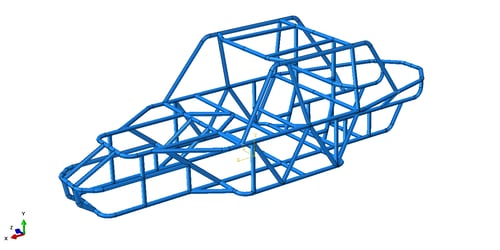
Take the example of a Dune Buggy space frame as shown in Figure 1, below:
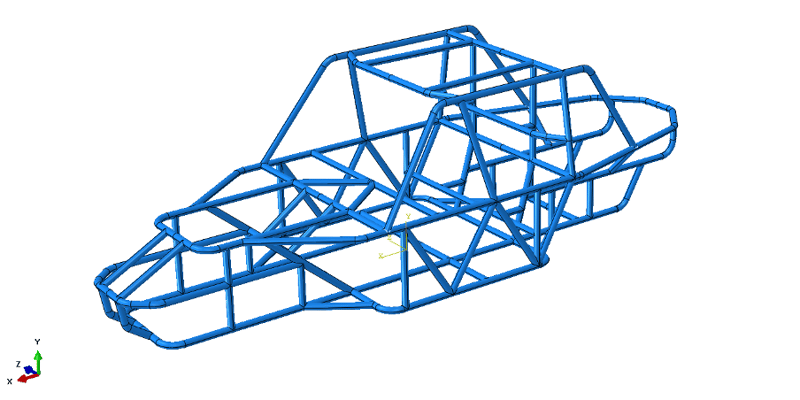
Figure 1 – Dune Buggy Space Frame
Not the most complex of tubular structures but not trivial either. Some time was spent ensuring that the intersections between the tubes were ‘perfect’ in the CAD model. You would think that this would follow through into the FE model, but the ‘perfect’ joints between the tubes are not quite so perfect once they are imported into Abaqus.
In Figure 2, below, the intersection on the left seems to have too many elements at the joint, there should be about four per quadrant. The tube intersection to the right doesn’t seem to have created a common boundary at all! This would require a Tie constraint to create the joint resulting in an inconsistent stress profile.
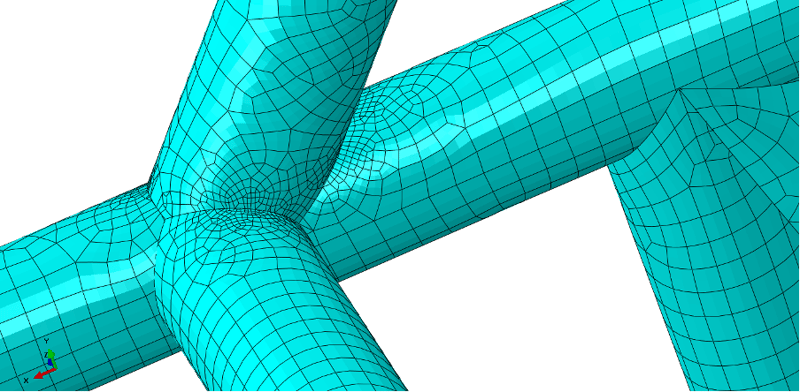
Figure 2 – Tube Mesh
Looking at the geometry in more detail, the intersection curves have been split into many sections as shown in Figure 3, below:
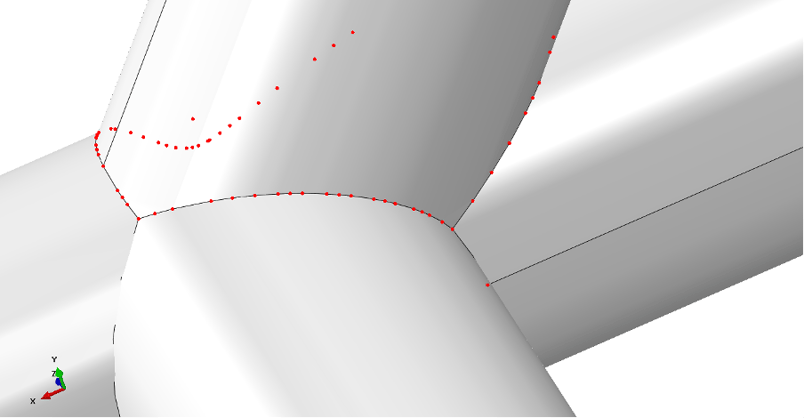
Figure 3 – Intersecting Curve Split Into Many Sections
The native CAD geometry was saved as a STEP file which was then converted to a SAT file by Abaqus before being imported. Could the multiple conversions be causing the issue?
Saving the geometry as an .SAT file from SolidWorks at first glance seems to solve the problem. The edges haven’t been split into multiple segments, however, common boundaries between the tubes haven’t been created as shown in Figure 4, below. Tie constraints would again be required to hold the body together.
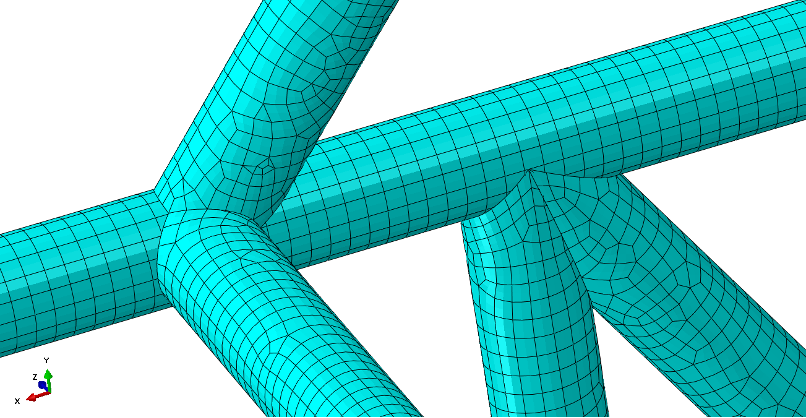
Figure 4 – SAT Geometry with No Intersection Curves
In both cases so far, we’ve taken multi-part CAD geometry and merged it together into a single part during the import process. Are we trying to do too much in one go?
Importing the SAT geometry as separate parts and then merging all the parts together in Abaqus works quite well but some of the geometry disappears altogether as shown in Figure 5, below.
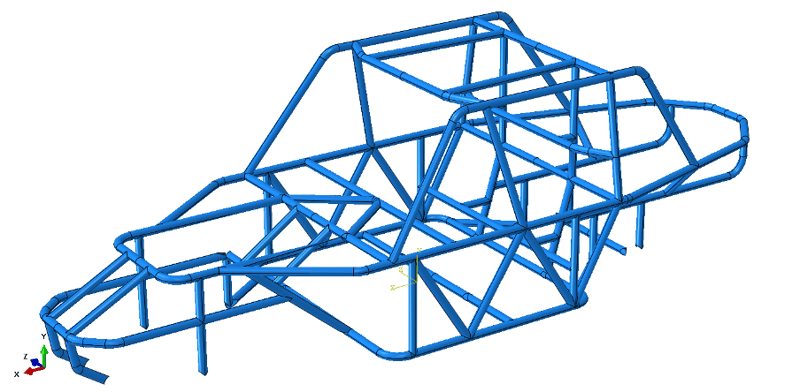
Figure 5 – Geometry Merge Result
This process was repeated but instead of merging everything in one go, logical groups of parts were merged to form half a dozen or so merged parts which were then subsequently merged to form the desired single, combined body.
Once again, this very nearly solves the problem, however, several ‘free edges’ remained at tube intersections where a common intersection wasn’t formed as shown in Figure 6.
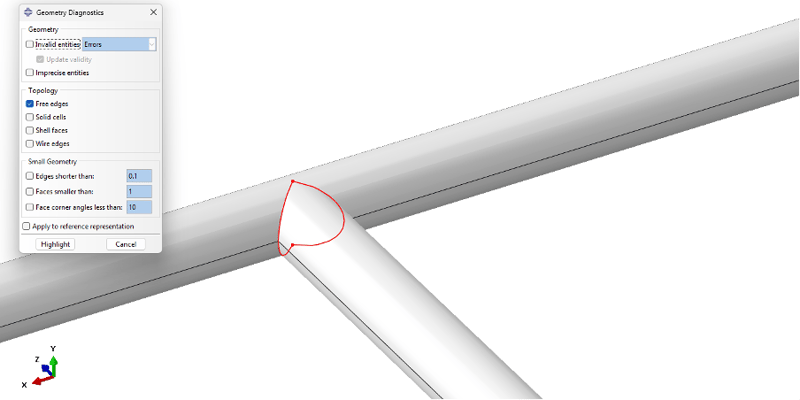
Figure 6 – Free Edge Detection Showing No Common Intersection
The Free Edge geometry fell into three categories:
1. Intersecting tube penetrates through the wall of the main tube
- This is simple to resolve, just delete the ‘sliver’ faces inside the main tube and remove any ‘Redundant Entities’ where necessary
2. Intersecting tube just short of the main tube
-
Also simple to resolve, just extend the edges of the intersecting tube to meet the main tube or extend into the main tube and delete the ‘sliver’ faces as above
3. Partial intersection
- This causes issues. Some of the edges can be extended, some can’t and some cause the underlying geometry to distort
- This can be solved by remaking the geometry locally but if there are more than a few such instances then this could turn out to be a time-consuming exercise
There isn’t any one strategy that will cover all eventualities, however, one strategy does seem to solve the vast majority of issues encountered on a number of geometry sets of this type.
NOTE: If you can use symmetry do so. Working on half a model will take half the time to fix any issues.
The Solution:
- On the basis that the intersecting tubes, which extended into the main tube, formed perfect common boundaries; don’t bother trimming back the tubes at the intersections in the CAD model, leave them all intersecting typically as shown in Figure 7, below:
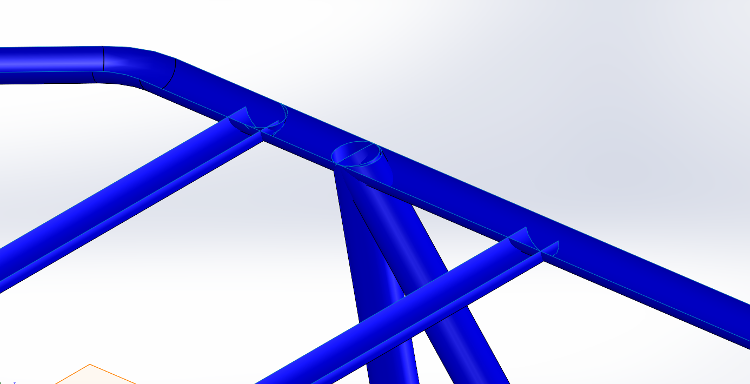
Figure 7 – Untrimmed Tube Geometry
- Save the geometry as .SAT, this seems to form more precise geometric entities when imported into Abaqus
- Import the CAD geometry as Individual Parts and then bring all the instances into the assembly
- Use the Merge Instances tool on logical groups of parts. Don’t try and merge all of the parts in one go unless you have a small assembly
- Interrogate the merged parts in turn using the Geometry Diagnostics tool to find free and small edges typically as shown in Figure 8.
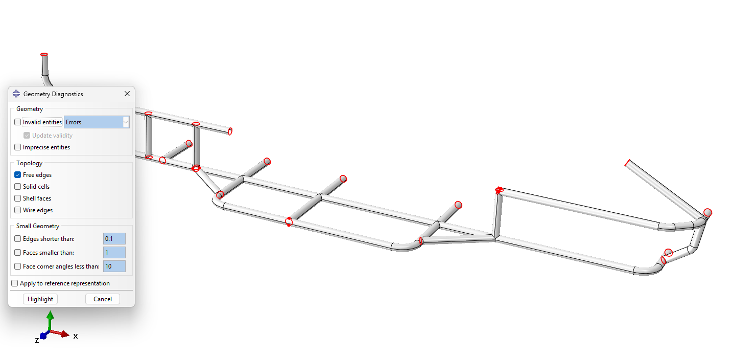
Figure 8 – Free Edge Detection
-
Where you find free edges which aren’t on the symmetry plane, assuming you are using symmetry, this shows the location of intersecting faces which need to be deleted typically as shown in Figure 9.
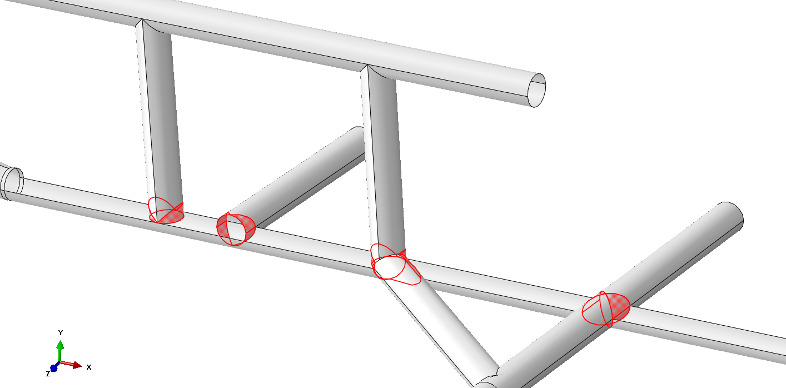
Figure 9 – Faces To Be Deleted
Even with many intersecting faces this is a relatively quick and simple task. The Abaqus Free Edge Detection tool is going to show you where the faces are that you need to delete.
With the intersecting faces all deleted, and the geometry was mirrored to recreate the full frame, as shown in Figure 10 below.
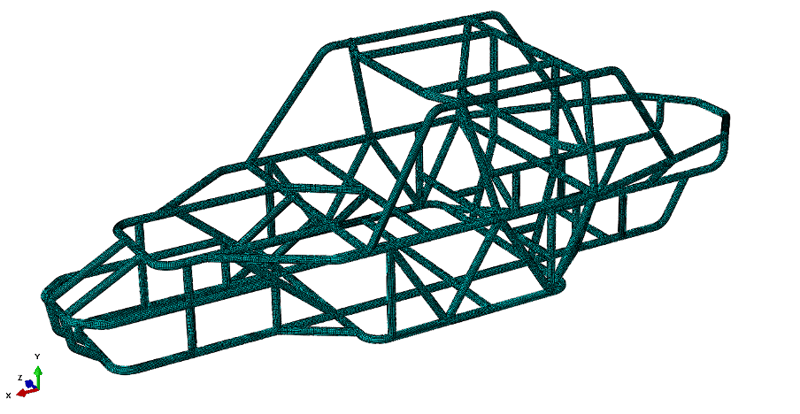
Figure 10 – Meshed Dune Buggy Frame
We now have a series of intersecting tubes with common boundaries which all mesh perfectly as shown in Figure 11, below.
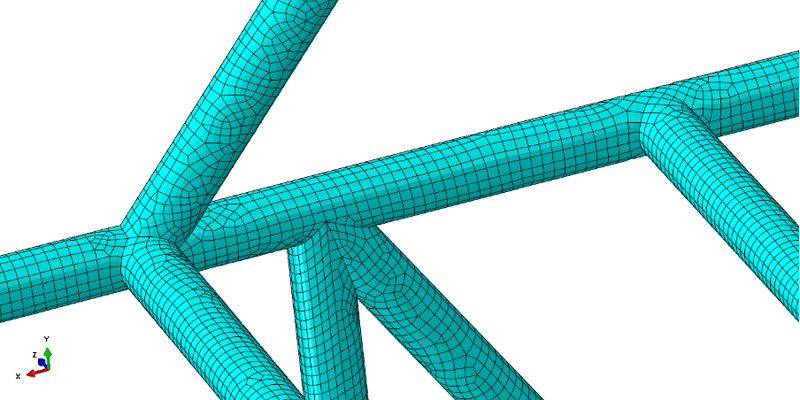
Figure 11 – Perfect Mesh at Tube Intersections

 MBSE
MBSE