 MBSE
MBSE
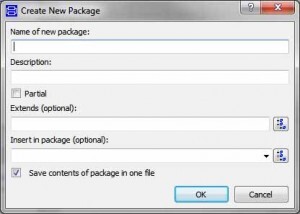
In Dymola this choice is made when creating a new package by the checkbox at the bottom of the dialog, see below. If you later decide you want to change how the package is being stored then select the package, go to the Edit menu and select the Attributes option.
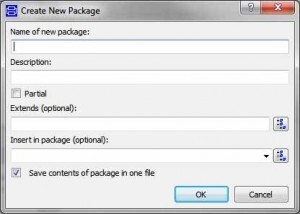
When choosing to save the package in one file, a single Modelica model file will be created that contains all the classes defined in this package. Whilst this makes the package easy to copy around between computers it is not really suitable for use with revision control systems.
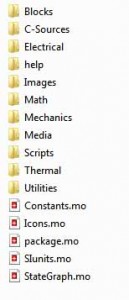
When choosing to save the package as a directory structure what you will get is a directory structure where each class is stored as a separate Modelica model file. This approach is very good for use with revision control systems because the revision of each individual class within the library can be managed independently. An example of the structure you might get is shown below for the Modelica Standard Library: