
 MBSE
MBSE
A significant benefit of modelling with the Modelica language is the ease with which you can reuse existing models and customise their parametrisation to create your own simulations. However sometimes a model you wish to use may have parameter modifications that do not suit the application you are modelling. So in this blog post I’m going to take a look at how the break keyword can be used for removing existing parameter modifications.
Keyword – break
Since Dymola 2022, the keyword break has been available to remove existing parameter modifications. And from Dymola 2022x the GUI has supported the application of this keyword. So when x=break, all previous modifications to the parameter x are removed.
Using the keyword break
The break keyword can be useful if you want to use a model but a parameter’s start value modification is unsuitable for the context you will be using it in.
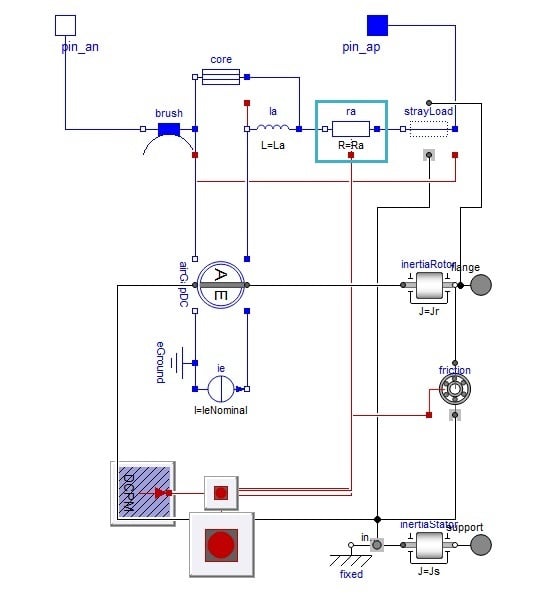
As an example, I wanted to use the permanent magnet DC motor from the Modelica Standard Library (MSL), shown below. However the armature resistance parameter , Ra, had a start value of 0.05 ohm set in the DC motor interface, but is not suitable for my application where Ra would typically be in the 10+ ohm range. So I can use the break keyword to remove this existing start value for the armature resistance, Ra.
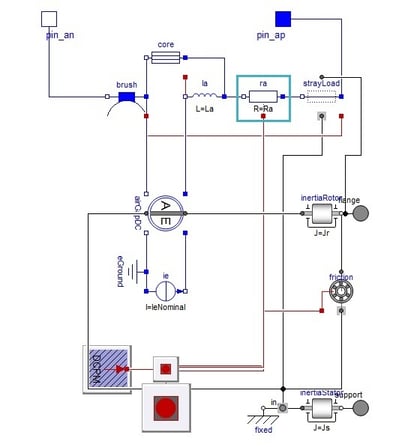
Figure 1: The resistor in the MSL permanent magnet DC motor has an existing start value (Modelica.Electrical.Machines.BasicMachines.DCMachines.DC_PermanentMagnet)
To use the break keyword, I must set the flag Advanced.Modelica.SupportUndefinedModification=true. Now having first extended the permanent magnet DC motor, I can use the GUI to apply the break keyword. In the motor’s parameter dialog, I can right-click in the Ra parameter field and select Set to No Value.
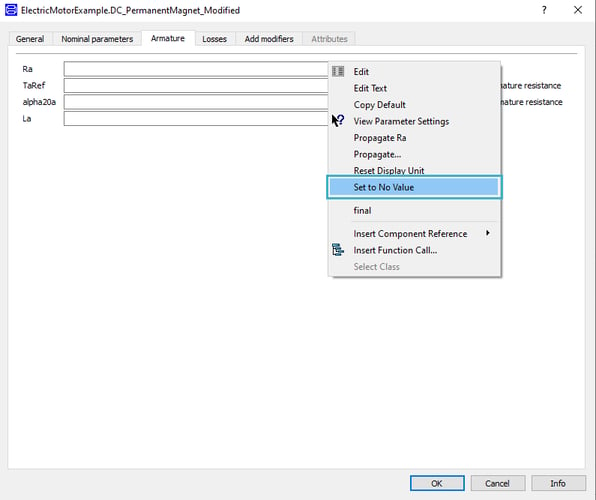
Figure 2: The Set to No Value option in the parameters context menu in motor’s parameter dialog
This will add the break keyword to the Ra parameter in the Modelica code, as highlighted below. This will remove both the existing value and start value modifications for the parameter; so the motor’s armature resistance, Ra, now has no value associated. This automatically generated code could be modified so that the break keyword is only applied to the start value for its removal.

Figure 3: The break keyword applied to the motor’s armature resistance parameter in the Modelica code
I hope the break keyword and the new GUI option to apply it will be useful in your modelling work.

