 MBSE
MBSE
When creating your own libraries you may want to reference data files that are used within your model. However when another user installs your library they might install it in a different location so any links referencing the data files have to be done in such a way that they will work independently of where the library is installed.
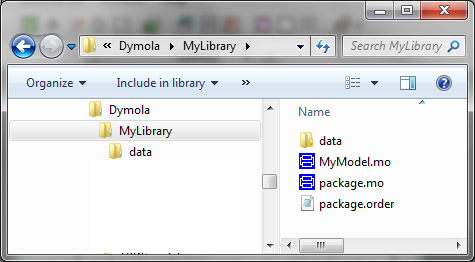
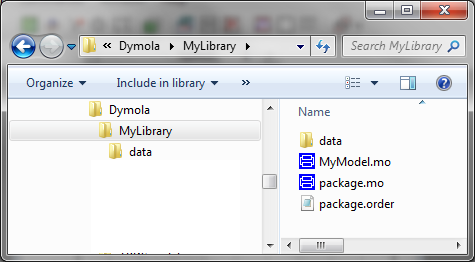
Below is an example of a user defined library were data files are stored in the same directory as the library:
Dymola contains a built in function called classDirectory() that returns the current directory where this function is called from. This function can be used to create a string within your library that refers to the directory where the library is installed. An example of this is given below:
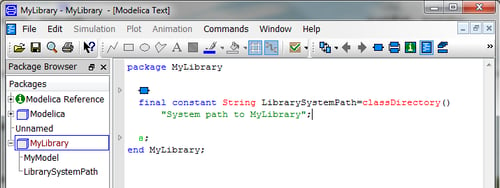
To use this constant string just reference it in a model as in the example below:
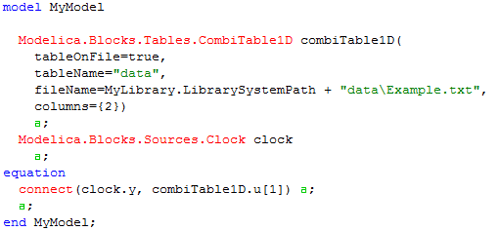
In the example above a clock is connected to a combiTable block. The table used in the combitable is stored in the data directory.

