
 MBSE
MBSE
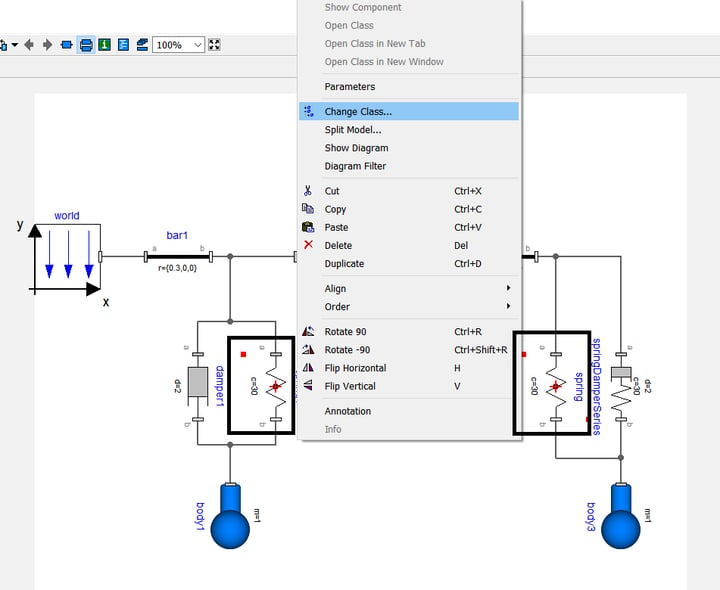
A few versions of Dymola ago, it was not possible to replace multiple instances of the same type in a single operation unless these object types were linked to a single class parameter. A class parameter is a parameter that allows the user to define a type, usually based on a constraint that limits the type choice. For example, in an internal combustion engine there might be several intake valves and several exhaust valves. If all intake valves are of one type and all exhaust valves of another we could create two class parameters which each intake valve and each exhaust valve relate to. By changing the class parameter value, we can swap the type of intake and the type of exhaust valve in two simple operations instead of having to right-click on each valve and use change class or redeclare it as another type of intake/exhaust valve.
Having said this, it is not always desired to use class parameters for a small amount of objects. I have come across a few users who were not aware of this but as from Dymola 2018 we can select multiple objects of the same type in the diagram layer, right click and select “Change Class…” and replace those objects with ones of a different type in one go. Parameterisation of the individual objects will be preserved as long as the new types also have parameters with the same names and types declared within them.
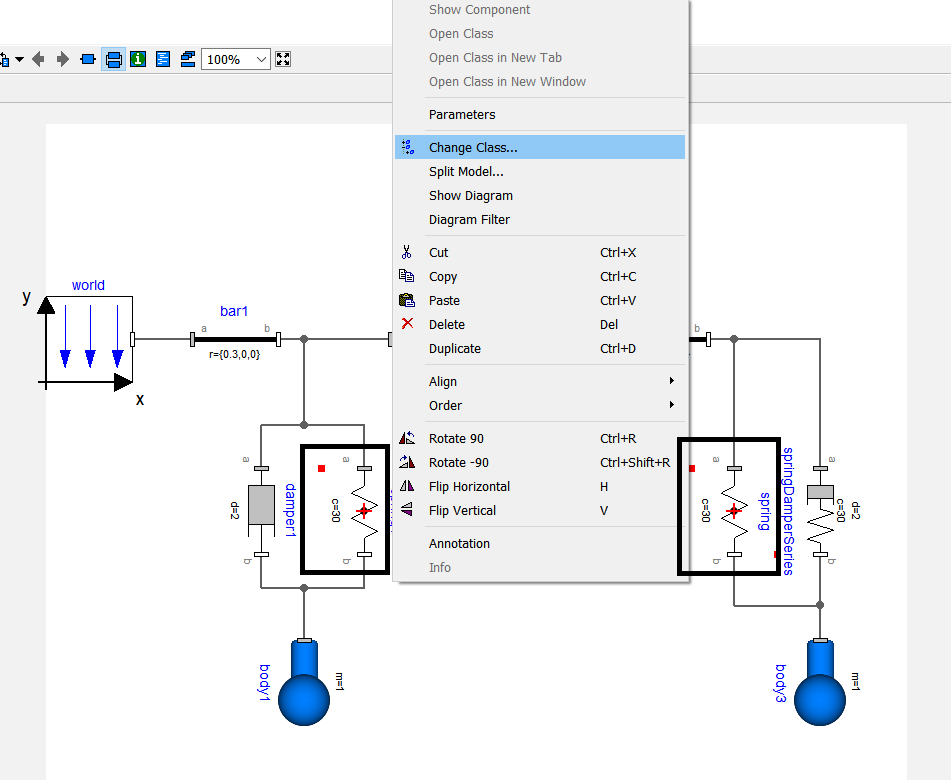
Figure: Replacement of the two multibody springs at the same time is achieved by selecting both of them, right clicking and selecting “Change Class…”
Written by: Alessandro Picarelli – Chief Engineer

