
 MBSE
MBSE
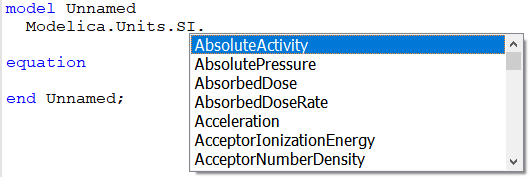
In Dymola 2022x a new keyboard shortcut to setting SI units in the text editor has been introduced. This post has a look at this new method.
Unit checking
Units are extremely important; just ask a scientist of the NASA’s Mars Climate Orbiter, that after travelling 300 million km burnt up in the Mars atmosphere because of a unit error (see the wiki). The unit error caused the thrust impulse calculation to be incorrect resulting in the orbiter going too deep into Mars atmosphere during aero-braking.
To avoid this type of error Dymola supports unit checking. So Dymola checks the units of equations to make sure unit errors like the one with the Mars Climate Orbiter do not occur, see Using-units-in-your-dymola-models for more details.
Using the shortcut key for setting units
Even knowing the importance of unit checking, it was a bit of a hassle to set units, until Dymola 2022x…
Now just press Ctrl+Shift+U and the dialog box in Figure 1 pops up and you can select a Modelica SI unit from a pull down menu.
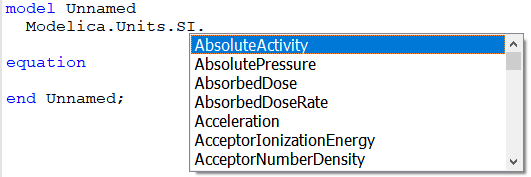
Figure 1. Pressing Ctrl+Shift+U brings up this units pull down menu
So Ctrl+Shift+U gives a simple way to set the unit of a parameter or a signal.
Conclusion
Now units can easily and quickly be set.
Written by: Garron Fish – Chief Engineer

