
 MBSE
MBSE
Modelica's acausal nature makes model inversion within Dymola a fairly straightforward task.
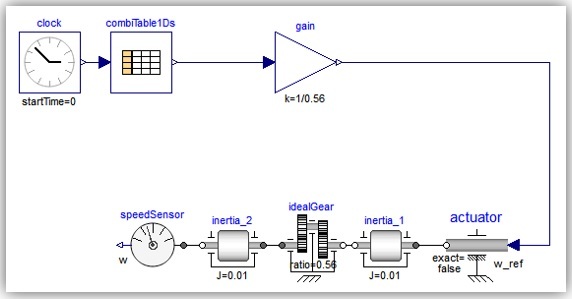
An example is presented in which the objective is to achieve a desired speed profile of inertia_2 whilst calculating the torque necessary to do so. For this example, a model of 2 inertias connected via a gear ratio will be inverted in three different ways.
N.B. If the system is being driven using speed actuators it is usually necessary to substitute standard Modelica friction models for smooth (e.g. atan) type models as the computation around zero speed becomes problematic.
Method 1
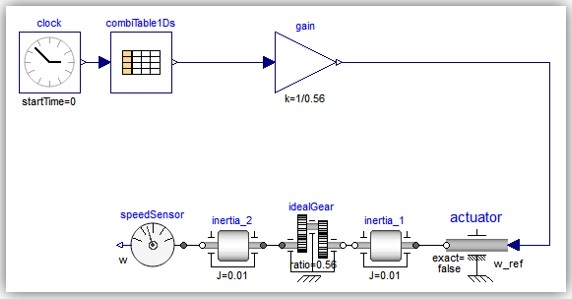
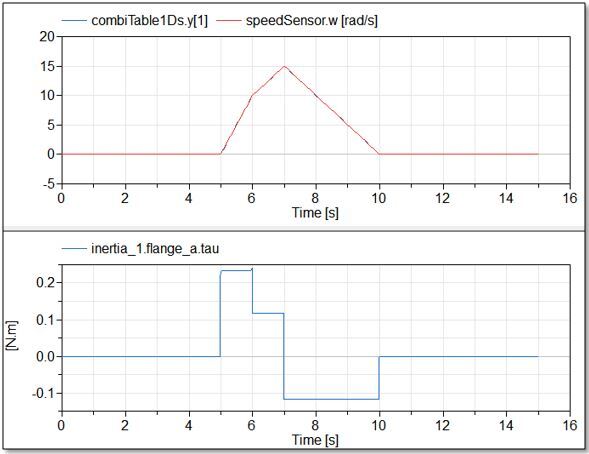
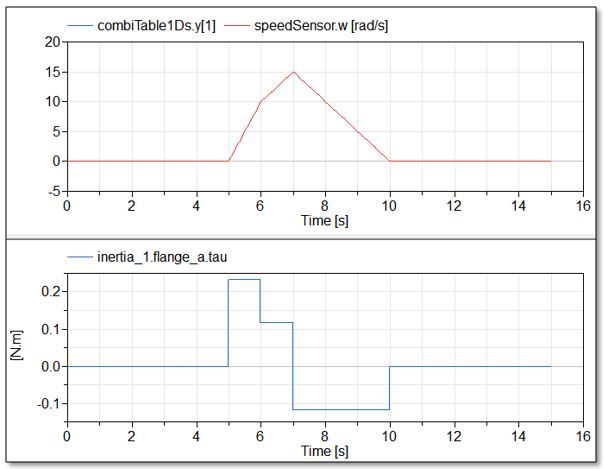
Method 1 is to apply a speed via an actuator to inertia_1 and drive the system along a particular speed profile which also takes into account the gearing between the inertias so as to achieve the correct speed of inertia_2. We account for the gearing by scaling the desired speed of inertia_2 using a gain block.
At compilation, Dymola automatically rearranges the system equations to calculate the torque required to drive the required speed profile.
Method 2
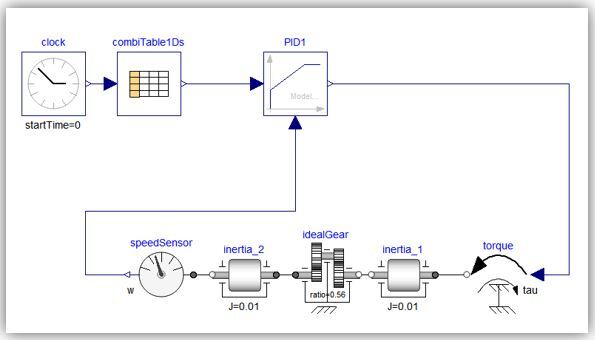
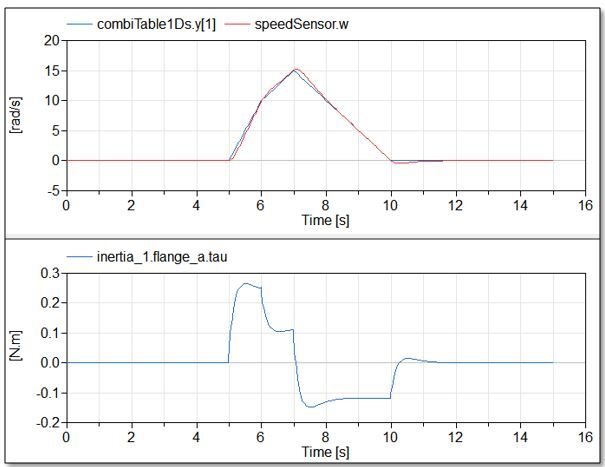
Method 2 uses a PID to apply the required torque to inertia_1 in order to achieve the desired speed profile for inertia_2. The model can now be driven using a torque actuator, but the user will have to optimise the PID tuner parameters to achieve a good match between the desired angular velocity of inertia_2 and the actual velocity of inertia_2.
Method 3
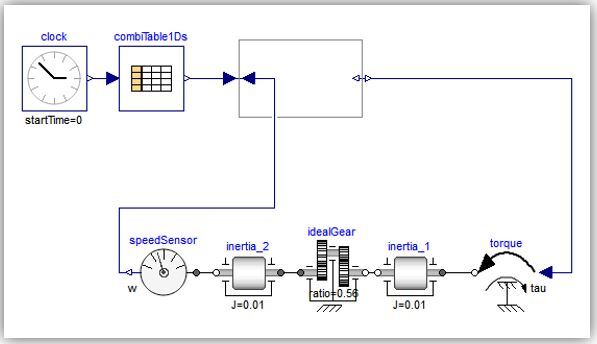
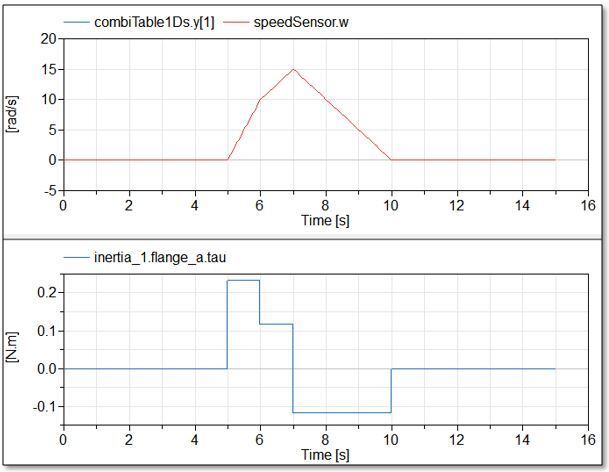
Method 3 also allows us to use a torque actuator to drive the system. The Modelica.Blocks.Math.InverseBlockConstraints inversion block takes into consideration the desired angular velocity coming from the table and also the actual speed of inertia_2. The input of the torque actuator now becomes an unknown of the system which Dymola calculates during the simulation. Note that no calculation or accounting for the gear ratio is required using this method.
These same methods can be applied to the control of other domains and are not limited to 1D rotational mechanics models.

