
 MBSE
MBSE
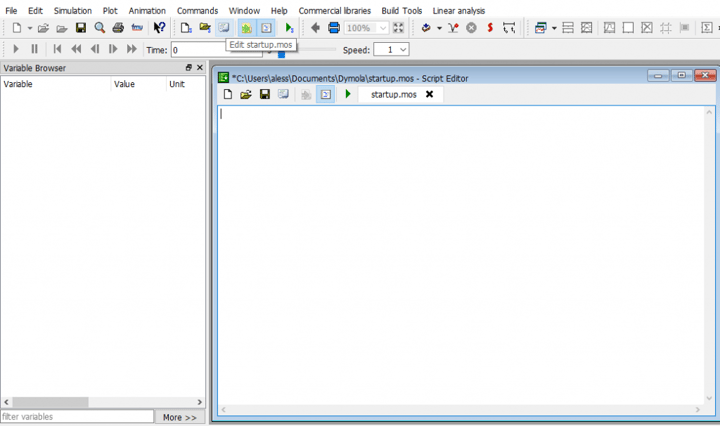
Dymola is used in a wide range of physical system modelling applications. These might be automotive, energy (electrical power generation and buildings), food processing plants, and many more. Depending on the application we might want to plot the results in very different time scales. For example, for automotive drive cycle analysis, the default units of “s” or seconds are generally appropriate. If we are looking at high frequency switching dynamics within inverter models, we might be looking at micro-second time scales. Conversely, if we are performing building thermal simulation our time scales might be minutes or hours.
Although we can right-click on the horizontal axis of a plot and change it’s units, we could set this up as a default setting to save us time and effort every time we open Dymola. The setting will also be applied to the simulation settings dialog where we can choose simulation Start time and Stop time but also the output interval Interval length and the Fixed integrator step for fixed step solvers, all of which have units of time.
Procedure
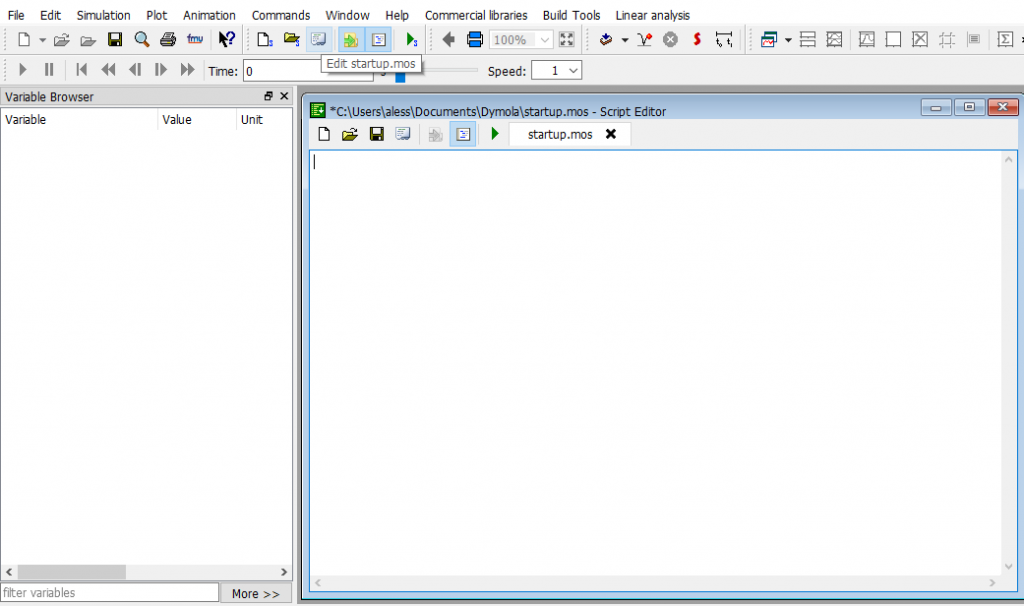
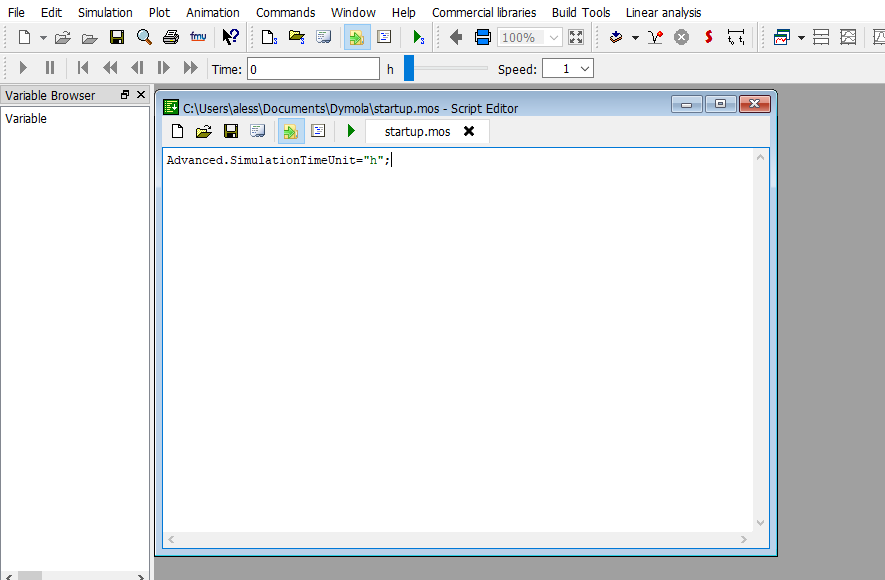
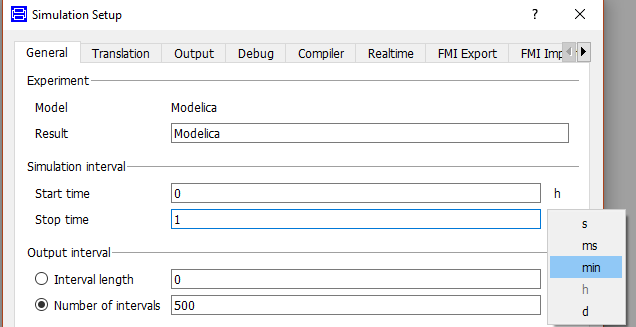
Step 3: Reload Dymola and verify that the command is being picked up correctly. You will still be able to change the units again if required by clicking on them in the dialogs or right clicking on the axes in the plots.
More detailed information on editing the startup.mos file can be found from page 443 within the Dymola user manual volume 1 (Dymola 2019 FD01) and has been available through the GUI since Dymola 2019 FD01.
NOTE: When applying experiment settings, it is worth remembering to set an appropriate Interval length or Number of intervals to suit the physical model time scales. Saving more data points than necessary will cause the models to run slower as Dymola will be writing to the result file at a higher frequency than what’s really needed for the application.
Written by: Alessandro Picarelli – Engineering Director

