
 MBSE
MBSE
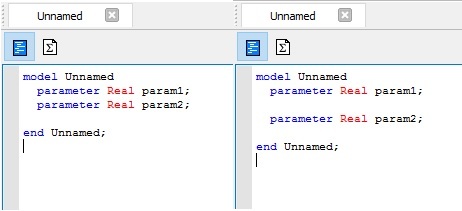
Options to customise the Dymola environment.
If you click on Edit -> Options, a number of options are available to customise the working environment.
- Manual formatting: the user can choose to use their own formatting or an automatic formatting. Automatic formatting can be useful for consistency and to avoid triggering a change in a model if only the format has changed. For example, automatic formatting removes the white spaces in the text; these can be considered as a change in a model. The two following models are thus considered as two different models.
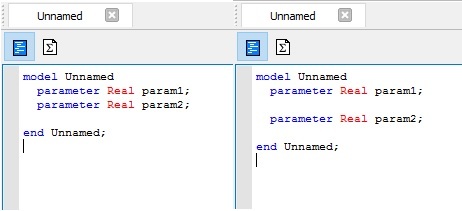
Figure 1: Model considered changed because of a white space.
- Base font size can also be changed
In the Save Settings tab, you can save the settings for the next session of Dymola.
Preload libraries
It is possible to create a short script that opens Dymola and load the right libraries.
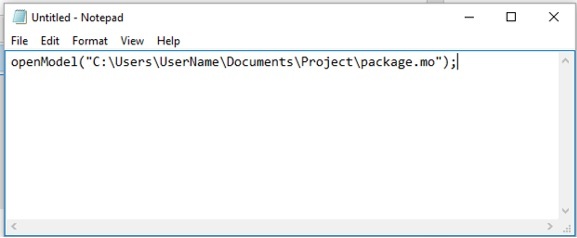
Figure 2: Short script to open Dymola and load the right libraries.
To open more libraries, just add more lines starting with “openModel”.
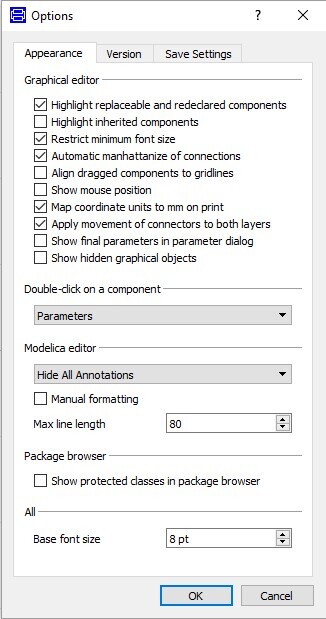
Figure 3: Options menu.
Custom menus for easy access to some commands
It is possible for the user to introduce new menus and toolbars where functions can be called.
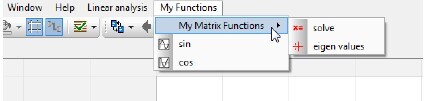
Figure 4: New menu My Functions with a submenu My Matrix Functions and two functions sin and cos.
To create such menu, write an annotation in the package that you want to appear in the new menu.
package MyFunctions "My Functions"
  package MyMatrixFunctions "My Matrix Functions"
    function solve = Modelica.Math.Matrices.solve (A=[1, 2; 3, 4], b={1,1});
    function eigenValues = Modelica.Math.Matrices.eigenValues "eigen values"
     annotation (uses(Modelica(version="3.2")),
        Icon(coordinateSystem(preserveAspectRatio=false, extent=),
        graphics={Line(
        points=,
        color={0,0,255},
        smooth=Smooth.None,
        thickness=0.5)}));
  end MyMatrixFunctions;
  function sin = Modelica.Math.sin;
  function cos = Modelica.Math.cos;
  annotation (
    __Dymola_toolbar=true,
    __Dymola_menu=true,
    Protection(hideFromBrowser=true),
    Uses(Modelica(version="3.2")));
end MyFunctions;
The package structure is created by the annotation: annotation(__Dymola_menu=true);
Toolbars are created by the annotation: annotation(__Dymola_toolbar=true);

