
 MBSE
MBSE
A component or object array could be quite useful if we want to create multiple objects arranged in parallel or series with each other. Component arrays are therefore also useful for being able to discretise or scale components in a convenient way. For example: multiple rotational springs and inertias to create compliant shafts. The same idea can be applied to any other domain e.g. electrical, fluids, thermal, etc.
In series: Instead of making a separate variable declaration for each device or element, we can create an array of them with a for loop. This is much more convenient. Also the coding it saves makes this approach much more efficient with respect to productivity. So there’s a good argument why you might want to create an array of components or objects. Each element in the array can still be parameterised individually if we require heterogeneous specifications but the number of elements in the array can be easily scaled from 1 to n where n is any integer number.
Here is an application of this when we want to model hydraulic devices.
Claytex has already developed various fluid components with computationally efficient structures with the aim of reducing or minimising the number of non-linear equations and numerical jacobians that can occur when the user does not optimally arrange and connect individual pipe and pressure loss models.
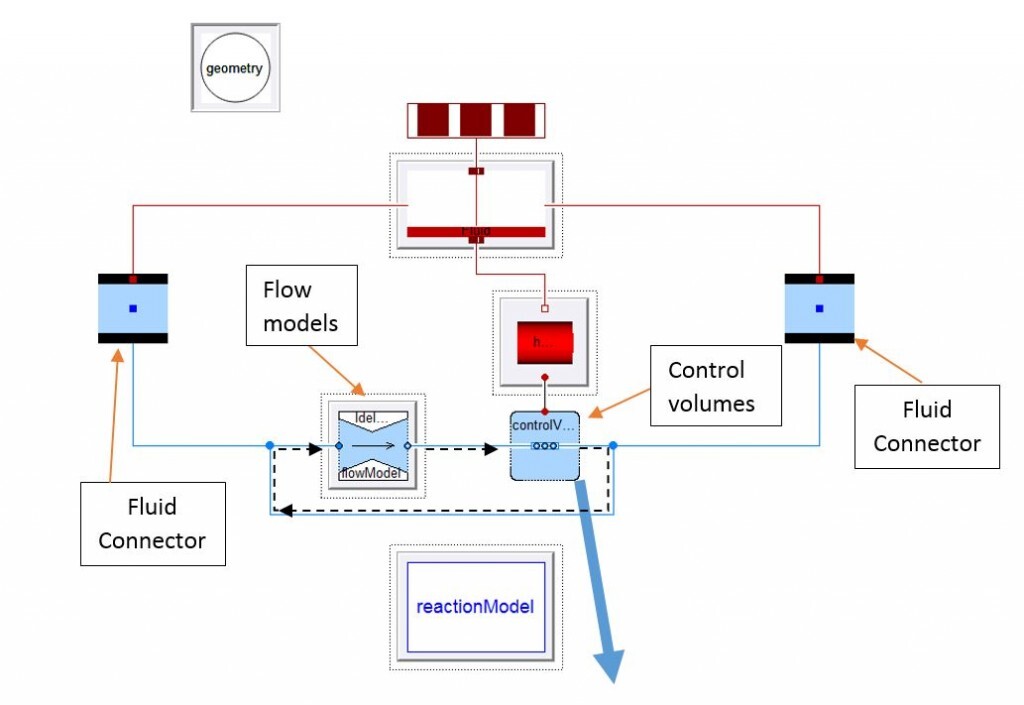
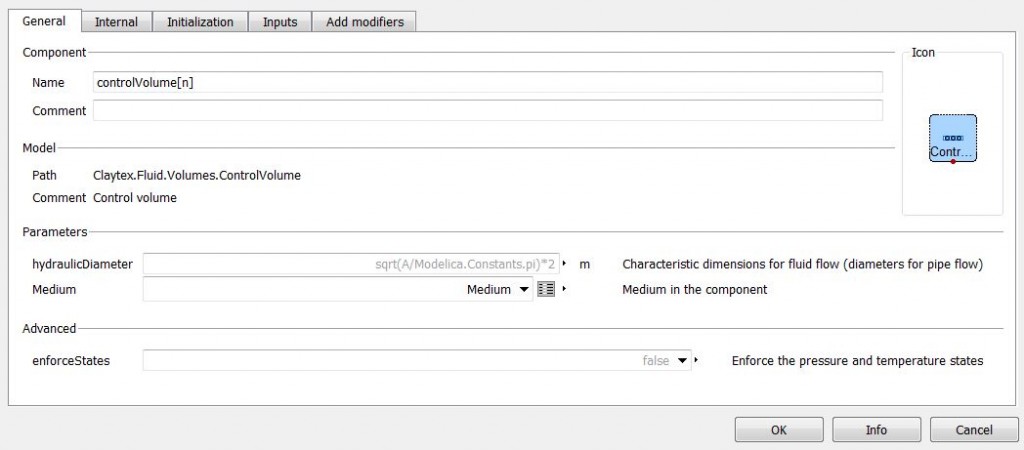
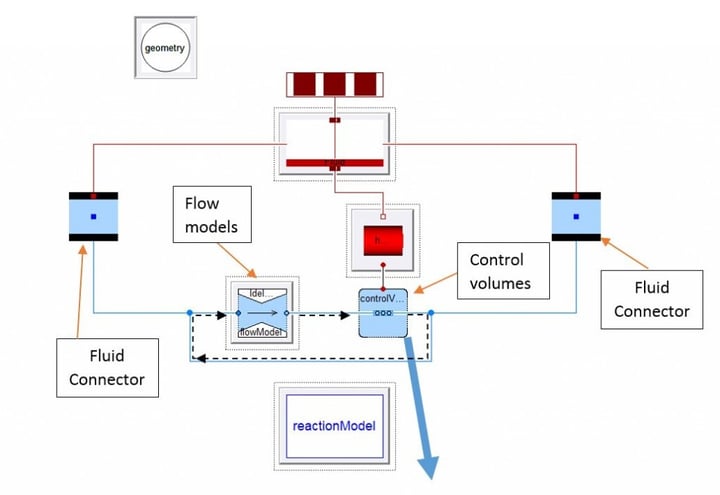
Figure 1: Internal structure of the pipe
In the figure above, all the components are defined as arrays, and the connection between controlVolumes and flowModels are set up in the aforementioned for loop (stated by the black dashed line).

Figure 2: Modelica text – for loop
By discretising one pipe in several parts, the user can analyse what is going on at various points in the component, for instance, any discretised volume or pressure loss along the pipe. With the simple model below, we want to depict the variation on results and time simulation when varying the number of nodes used on the straightPipe device.
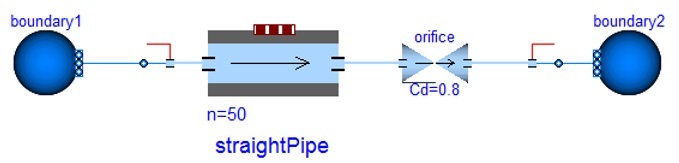
Figure 3: Experiment model
The plot below on the left shows the CPU time necessary to run a 5 second simulation increasing the number of nodes n of the array (n=2, n=20, n=50). The plot on the right shows the pressure drop at the first node of the array n[1] for each amount of discretisation.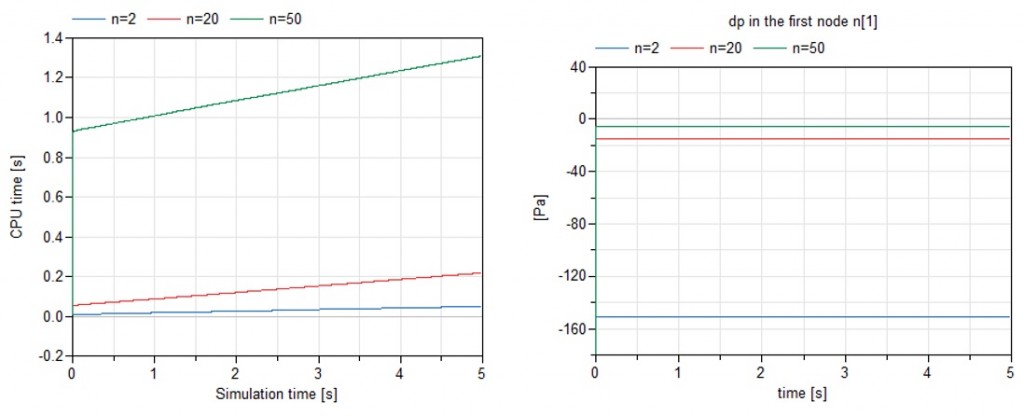 Figure 4: Results
The results are:
- On one side, the larger the number of nodes, the more time the computer will need to finish the simulation and initialise.
- On the other side, the larger the number of nodes, the smaller is the spatial length of each node of the array and therefore, the smaller the first pressure drop in the array since the total pressure drop for the pipe is distributed amongst a larger number of nodes.

