
 MBSE
MBSE
This blog post shows how to assign Dymola model parameters to elements of a structure stored in a .mat file.
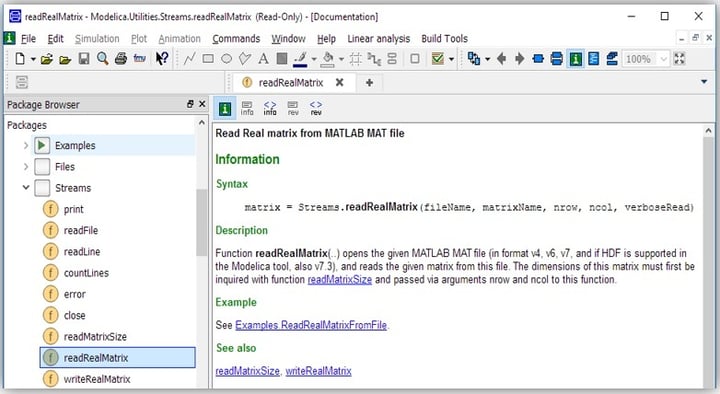
In Modelica 3.2.2 a new function is introduced called Modelica.Utilities.Stream.readRealMatrix() which allows users to read a Matlab .mat file saved in the v4, v6 or v7 formats (see Figure 1). Version 7 formatting is used in this blog post as this format supports the reading of data structures in Dymola 2017.
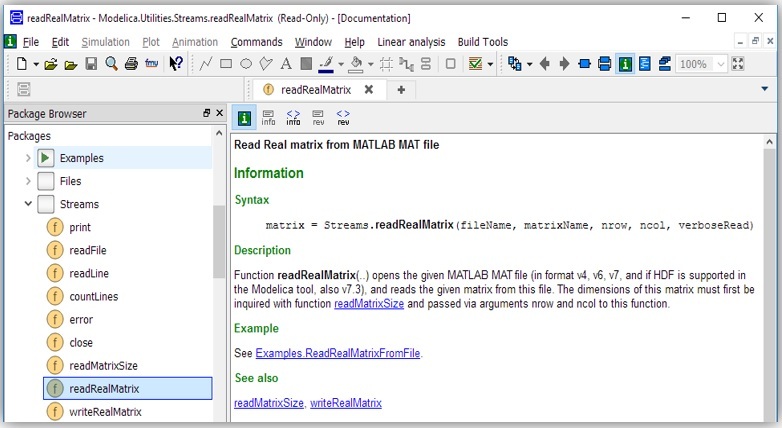
Figure 1: The information layer of the Modelia.Utilities.Stream.ReadRealMatrix() function.
Note that, on one hand, the readRealMatrix function in Figure 1 can only read real matrices with 2 dimensions, but on the other hand, both Dymola 2017 and 2017 FD01 do not support the v7.3 format.
For the purpose of illustrating how to assign a Dymola model parameters to elements of a data structure stored in a .mat file, first we need to create a data structure and store in a .mat file either using Octave or Matlab® as in Figure 2.
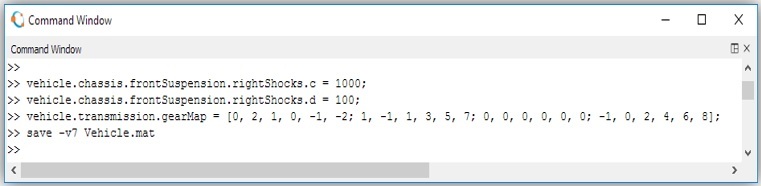
Figure 2: Octave commands to create a simple data structure and save it with matlab-v7 format.
An example of extracting the matrix created above from the stored .mat file using the readRealMatrix function is shown in Figure 3.
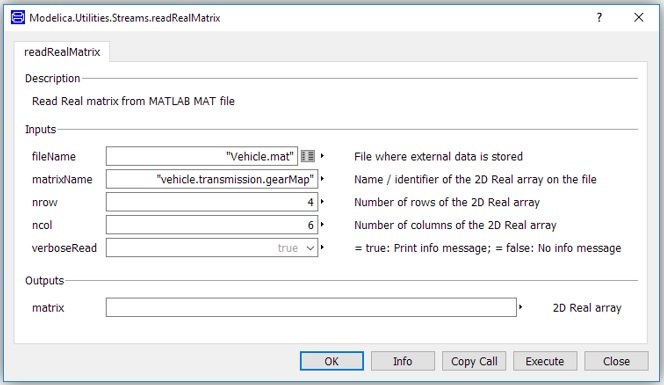
Figure 3: An example of using the readRealMatrix function.
In Figure 3, the gearMap array in the vehicle structure is extracted by referring to this element as “vehicle.transmission.gearMap”
By executing the above function, you will see the following result in command log pane of the Dymola command window.
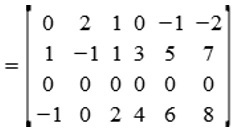
Alternatively, this function can also be used in Modelica classes. Two such examples are illustrated below : (1) with a known matrix dimensions and (2) with an arbitrary matrix dimensions.
(1) An example with a known matrix dimensions
model ExtractVehicleData
  parameter Real rightShocks_c = scalar(Modelica.Utilities.Streams.readRealMatrix(
           "Vehicle.mat", "vehicle.chassis.frontSuspension.rightShocks.c",1,1));
  parameter Real rightShocks_d = scalar(Modelica.Utilities.Streams.readRealMatrix(
           "Vehicle.mat", "vehicle.chassis.frontSuspension.rightShocks.d", 1, 1));
  parameter Real gearMap[4,6] = Modelica.Utilities.Streams.readRealMatrix(
          "Vehicle.mat", "vehicle.transmission.gearMap", 4, 6);
// code omitted//
end ExtractVehicleData;
(2) An example with an arbitrary matrix dimensions
The Modelica.Utilities.Stream.readMatrixSize() function can be used to determine the size of the matrix being read in. So, another way of reading the gearMap parameter that does not require prior knowledge of the size of the gearMap is as follows:
parameter Real gearMap[ Modelica.Utilities.Streams.readMatrixSize(“Vehicle.mat”,”vehicle.transmission.gearMap”)*{1,0}, Modelica.Utilities.Streams.readMatrixSize(“Vehicle.mat”,”vehicle.transmission.gearMap”)*{0,1}] = Modelica.Utilities.Streams.readRealMatrix(“Vehicle.mat”, “vehicle.transmission.gearMap”, Modelica.Utilities.Streams.readMatrixSize(“Vehicle.mat”,”vehicle.transmission.gearMap”)*{1,0}, Modelica.Utilities.Streams.readMatrixSize(“Vehicle.mat”,”vehicle.transmission.gearMap”)*{0,1});
Written by: Garron Fish – Chief Engineer

