DynamicSelect is a feature which allows the user to dynamically change aspects of the model during simulation.
The function syntax is as follows:
name of graphical feature = DynamicSelect (editing state, dynamic state)
Where any graphical feature, such as coordinates, colour, text, etc., in graphical annotations can be dependent on class variables using the DynamicSelect expression. DynamicSelect uses the same syntax of a function call with two arguments:
- The first argument specifies the value of the editing state and the second argument the value of the non-editing state. The first argument must be a literal expression.
- The second argument may contain references to variables to enable a dynamic state or behaviour.
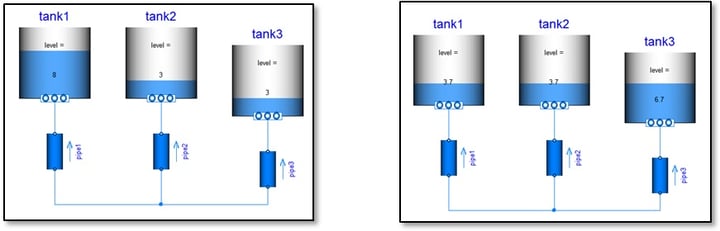
An example from the Modelica.Fluid library: The level of a tank could be animated by a filled rectangle drawn in the icon layer. The height of the rectangle would expand in vertical direction depending on how full or empty the tank is. Its colour could also be dynamic and depend on a variable linked to tank overflow. The icon layer section of the tank annotation looks like this:
annotation (Icon(graphics={Rectangle(extent=DynamicSelect(,),
fillColor=DynamicSelect({0,0,255}, if overflow then {255,0,0} else {0,0,255}))});
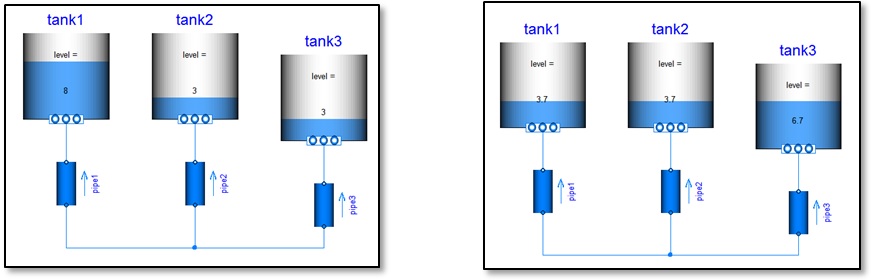
Figure 1. Tank fill extent dependant on fluid level.
The same philosophy can be applied to other drawing objects such as arrows and also colour of the fill and objects:
Fill colour change:
Rectangle(
extent=,
fillPattern=FillPattern.Solid,
fillColor=DynamicSelect({170,213,255}, colorVector),
pattern=LinePattern.None,
lineColor={0,0,0}),
where colorVector is a vector of size 3 setting the {R,G,B} values for the fill colour (Red, Green, Blue):
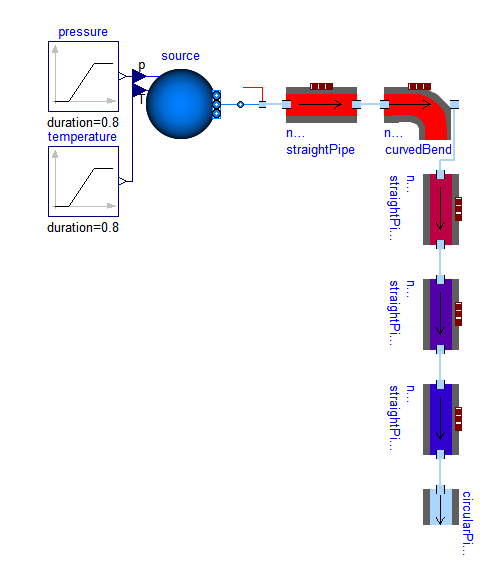
Figure 2. Pipe fill colour dependant on fluid temperature.
Changing the polygon shape:
Polygon(
points=DynamicSelect(, pointsVector),
fillColor={0,128,255},
fillPattern=FillPattern.Solid,
origin={-49,-59},
rotation=180,
pattern=LinePattern.None),
where pointsVector defines a set of point coordinates which changes the shape, position or geometrical flattening of the arrowheads:
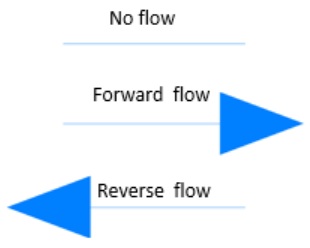
Figure 3. Arrow direction dependant on fluid flow direction.
Written By: Alessandro Picarelli & Garron Fish

